Snap Imported Piles
Piles are only accounted for in finite element computations if their heads are snapped on the surface of external. Piles generated using the Add Piles option automatically places the pile heads on the targeted surface. In contrast, piles generated through the Import Piles from CSV File feature strictly follow the input location data, which may not have their heads positioned on the surface. This approach accommodates imported pile coordinates without automatically modifying their specified locations. However, when the imported pile heads are not snapped to the surface - often due to the difficulty of pinpointing the exact surface location and the resulting unintended gap between the pile head and the surface - Snap Imported Piles feature can be used to reposition the piles so their heads are installed on the surface of the external geometry, based on a user-defined tolerance. See below for a demonstration of repositioning of piles to snap the heads to the excavation surface through Snap Imported Piles  feature.
Snap Method
Two (2) snap methods are available:
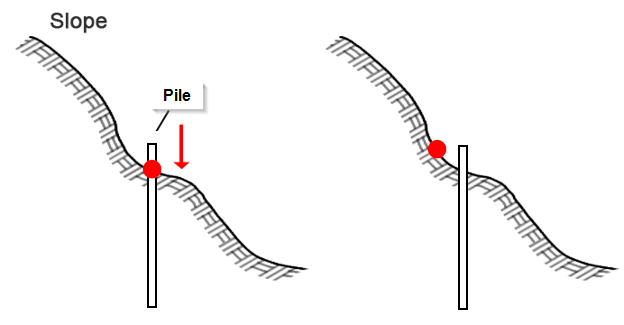
- Intersection point (in Pile Direction) – the pile would snap to the slope in the direction of its length. This method is preferred for preserving pile pattern spacing.
- Closest point – the pile would snap to the closest point on the slope surface. If there is at least one potential slope surface, then the pile would snap to the closest point it finds first.
Snap Tolerance
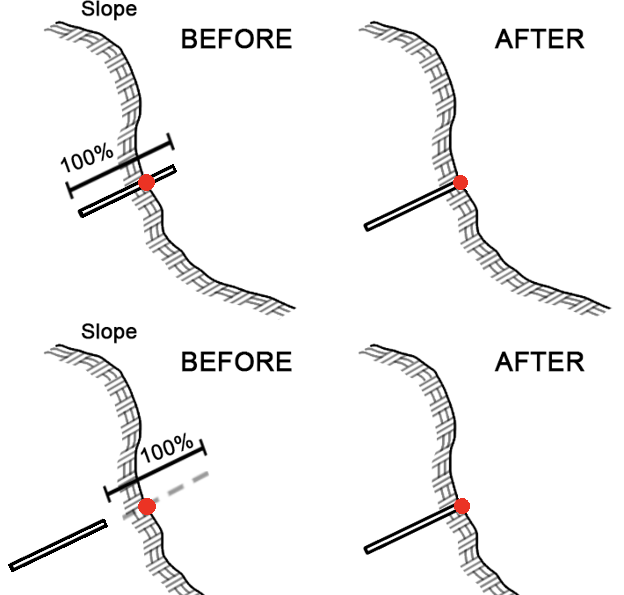
A pile is snapped to the slope surface if a snap point can be found within the user defined tolerance, expressed as a percentage of the pile length and with reference distance from the pile head. The value must be greater than 0% and less than or equal to 100%. This means that no snap point would be found if 1) the snap method is “Intersection Point” and the pile is completely outside the slope, and 2) the snap method is “Closest Point” and the closest point from the pile head to the slope is greater than 100% the pile length. If there are different pile lengths used in the model, then the tolerance is applied to the piles individually.
Option to Remove Unsnapped Piles
This is an option to remove piles that could not be snapped to the slope because they are outside the user defined snap tolerance. The piles would be removed from the model and would not participate in kinematic computations.
Preview
A preview of the adjusted piles is available from the 3D viewports. The preview shows the new pile locations and highlights any piles that could not be snapped.
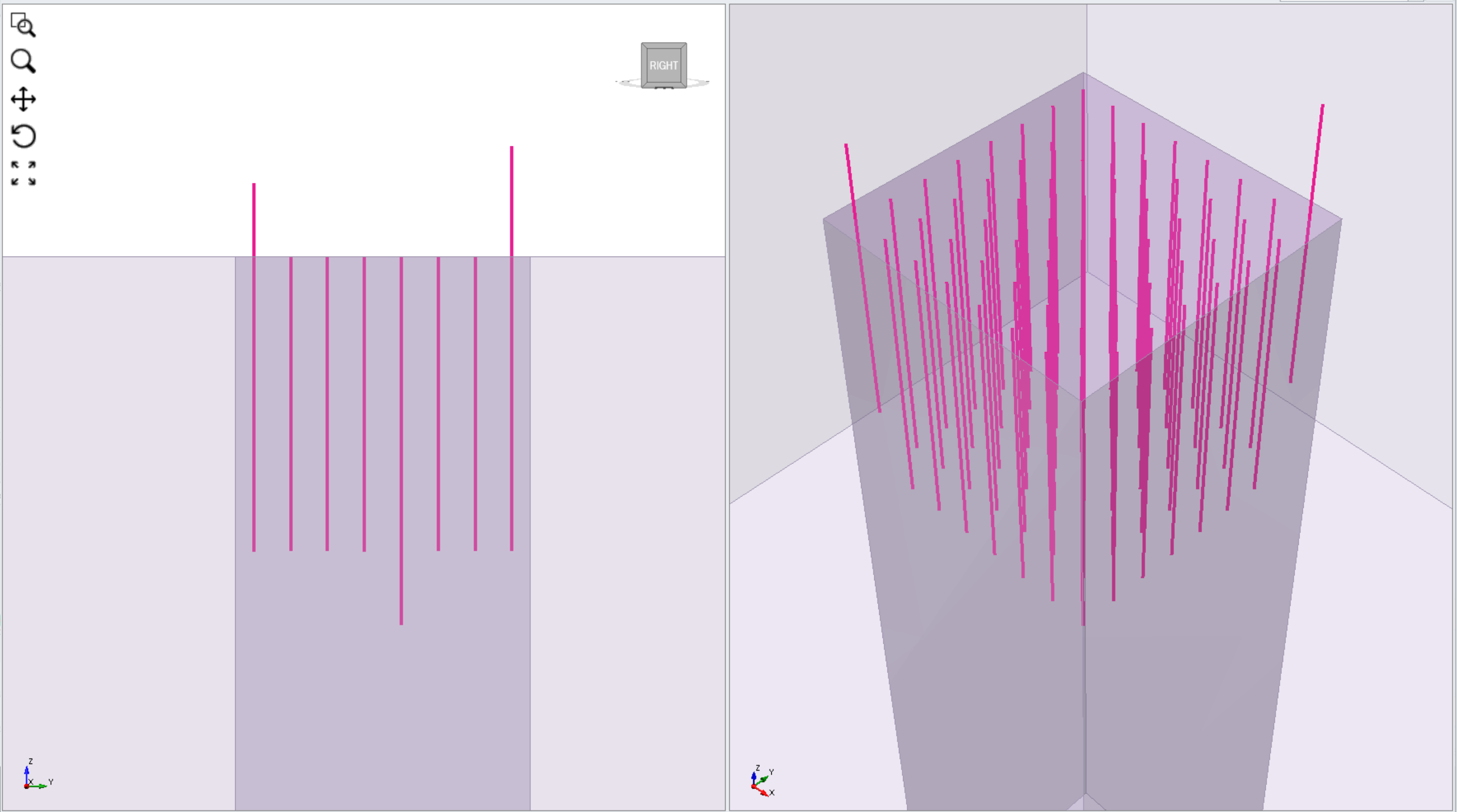
Figure below shows a case where the imported piles have an error in its location data, causing the pointed piles to fail snapping to the external surface. Such case can be easily accommodated by repositioning them through Snap Imported Piles feature.
Below demonstrates the use of Snap Imported Piles feature to translate the piles using Intersection point method to properly place the piles' heads on the excavation surface.
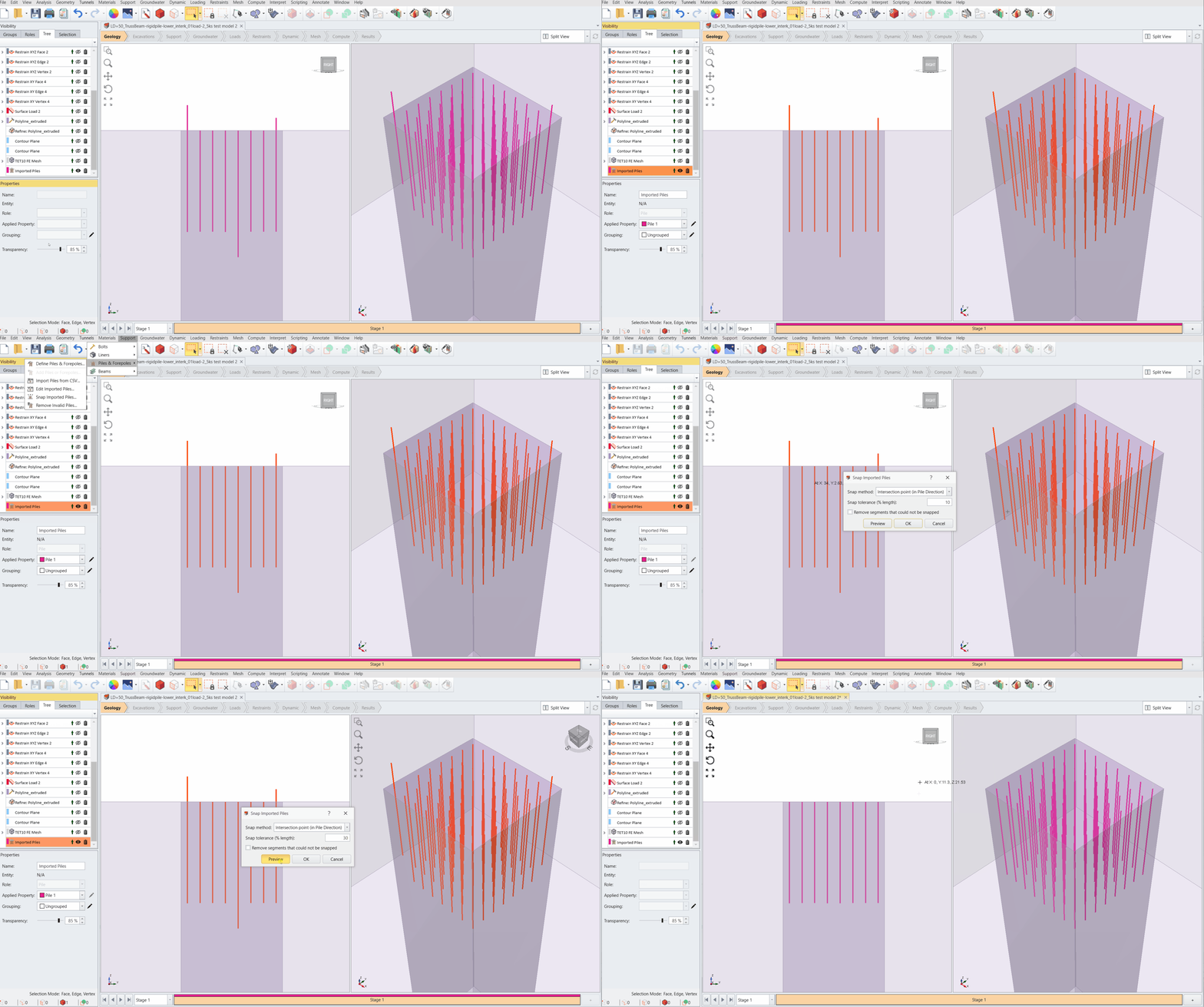
Imported Piles Snapping Demonstration