Stereonet Overlay
The Stereonet Overlay option allows you to overlay a full stereonet grid (Polar, Equatorial or Custom axis) on top of Pole, Contour or Major Planes plots.
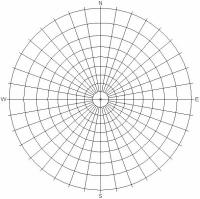 | 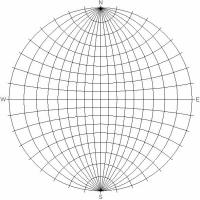 |
| Polar and Equatorial Stereonet Overlays | |
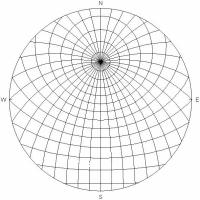 | |
| Custom Stereonet Overlay (Trend / Plunge of Axis = 000 / 45 ) | |
The Stereonet Overlay is available in:
- Tools > Stereonet Overlay
 from the Stereonet 2D (or Stereonet 3D) ribbon
 - Stereonet Overlay from the Visibility tree.
To set the Stereonet Overlay in the Stereonet 2D (or Stereonet 3D) ribbon:
- Select Tools > Stereonet Overlay from the Stereonet 2D (or Stereonet 3D) ribbon.
- The Stereonet Overlay dialog appears. Select the Show Grid Overlay checkbox.
- Select the Color.
- Select the Style (Polar, Equatorial or Custom) from the dropdown.
- If the overlay is Custom, you will be able to enter the Trend and Plunge of the Custom Axis Orientation.
- Click OK, and the overlay will be drawn on the Stereonet.
The latitude and meridian lines are at every 10 degrees.
Alternatively, the Stereonet Overlay visibility can be toggled in the Visibility tree and modified in the Properties pane.