Intensity Overview
The second section in the Baecher DFN Wizard is the Intensity section. The Intensity section allows you to define:
- The number of DFN Sets to generate
- The name of each DFN Set
- The data used to generate each DFN Set
- The fracture intensity used to generate each DFN Set
To add a DFN Set to the DFN:
- Click the
 button under DFN Set List.
For each DFN Set, you can define its name, data source, and intensity measure.
Data Source
The Data Source section defines the data used to generate a DFN Set. There are two options:
- Set: If Sets have been identified in DIPS (displayed in the Set column in the Pole Data Grid), then you can select which Set discontinuity data you want to use to generate a DFN Set. If no Sets are defined in DIPS, then the default option is to use all the data.
- Filter: Filters created in the DIPS file can be selected as the Data source. If there are no Filters in DIPS, then the default option is to use all the data.
A Set and Filter cannot be selected at the same time; only one Set or one Filter can be selected as the Data Source.
The selected Data Source controls the discontinuity data used to define P10 zones or estimate P32 from traverse data under Intensity measure, as well as the Orientation distribution in the Geometry section.
Intensity Measure
The Baecher DFN Wizard has two options for defining the fracture intensity of a DFN Set:
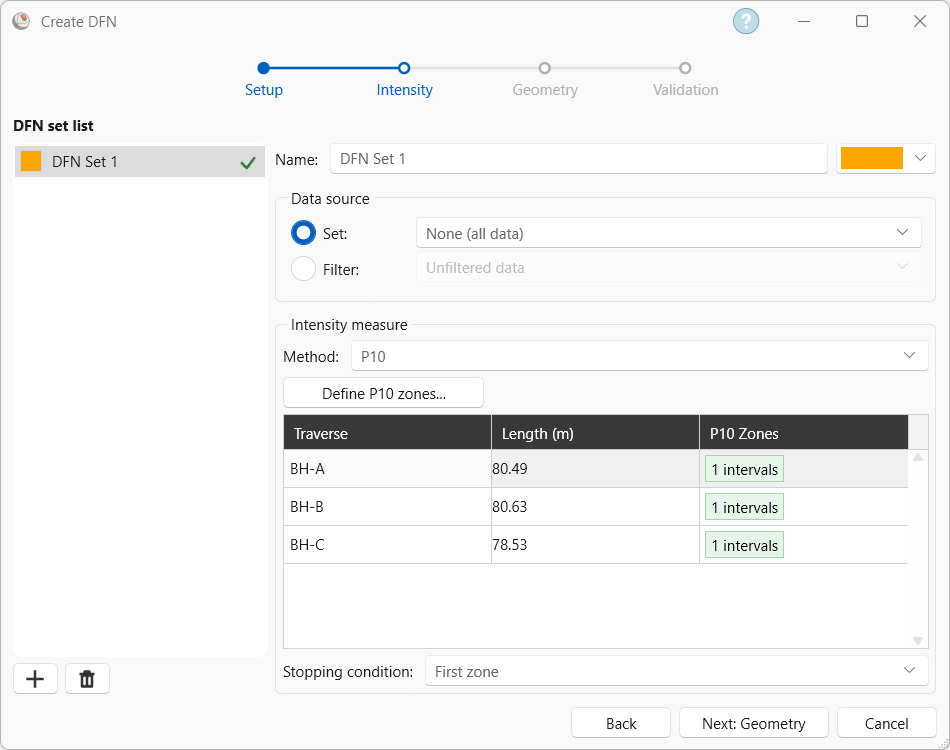
- P10: P10 (fracture frequency) is the total number of fractures in a zone along a Linear or Borehole traverse divided by the length of the zone. P10 can be directly calculated from Linear or Borehole traverses.
- P32: P32 is the volumetric fracture intensity and is the total area of the fractures in a volume divided by the volume. It cannot be directly measured in the field.
If P10 is selected, then P10 zones must be defined using Define P10 Zones. Traverses with P10 zones are shown in the Intensity measure table. Additionally, a P10 Stopping condition needs to be selected. Refer to Define P10 Zones for more information on the P10 stopping conditions.
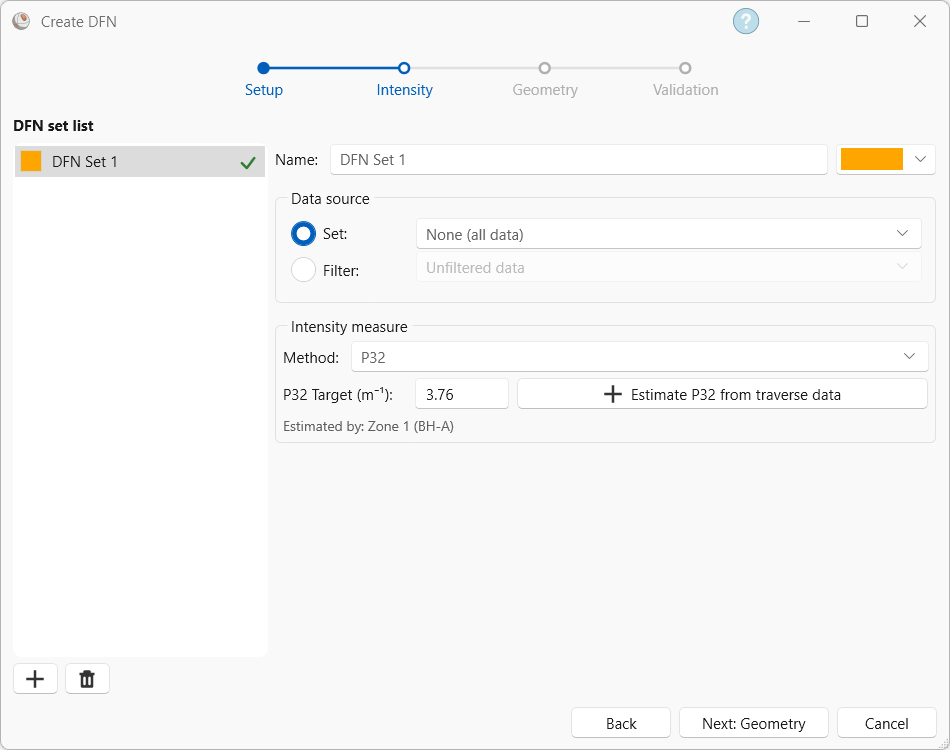
If P32 is selected, then a user-defined P32 value can be used as the input, or P32 can be estimated from borehole data using Estimate P32 From Traverse Data. If P32 is estimated from traverse data, then the Intensity measure section will display which P10 zone(s) were used to estimate the P32 value.