Validation
The fourth and final section in the Baecher DFN Wizard is the Validation section. Here you can:
- Preview the DFN in the Rock Mass viewport
- Randomize the DFN in the Rock Mass viewport
- View fracture intensity results
Preview DFN
The Preview DFN button previews all DFN Sets in the Rock Mass viewport.
Randomize DFN
The Randomize DFN button generates another realization of the DFN in the Rock Mass viewport. A pseudo-random seed is set when sampling the distributions of the input parameters. To view the Random Seed value, select the drop down arrow beside the Randomize DFN button and select Edit random seed. The Edit random seed dialog shows the Random Seed value. Given the same Baecher DFN Wizard inputs and Random Seed value, the generated DFN would be identical and reproducible. To reset back to the default Random Seed, select the drop down arrow beside the Randomize DFN button and select Reset random seed (the default Random Seed = 10116).
Results
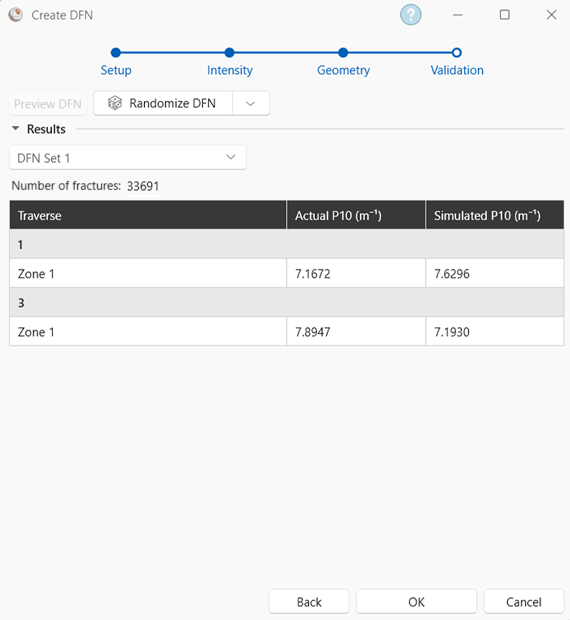
Fracture intensity results comparing the actual vs simulated intensity values are displayed for each DFN Set and the whole DFN (all DFN Sets). The actual values are those defined in the Intensity section of the Baecher DFN Wizard, while the simulated values are those calculated from the stochastic sets.
If P10 is used as the Intensity method, then a table of the actual and simulated P10 values for each P10 zone is displayed.
If P32 is used as the Intensity method, then a table of the actual vs simulated P32 values is displayed.
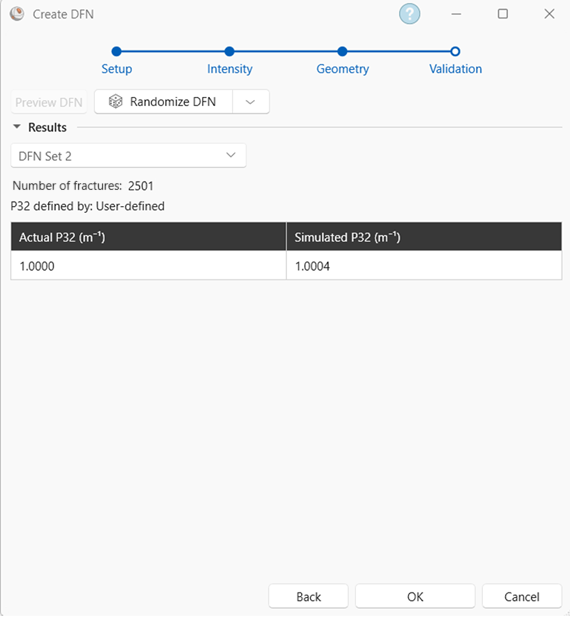
The Number of fractures in the volume is always displayed.