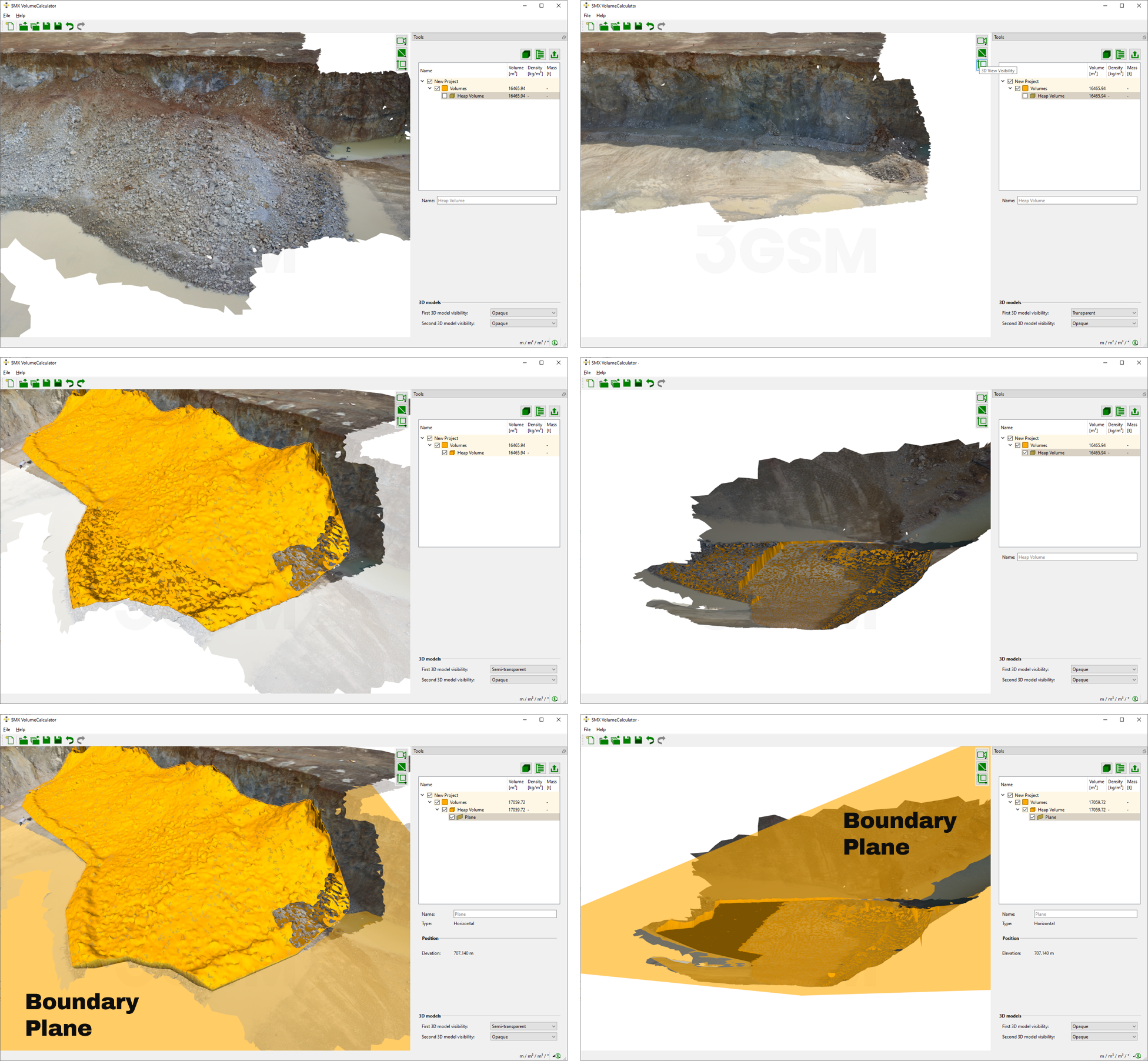
Adding of a Boundary Plane
The calculation of the mesh of the 3D model in the MultiPhoto is may not feasible in some areas due to e.g. insufficient overlapping of images. This “empty area” can be replaced for volume calculation by adding a plane replacing this surface in this particular area. The plane is added by click on the “Add Boundary Plane” in the context menu of Volumes. See below figure for a usage example.
The position of the Boundary Plane can be adjusted as follows:
- Select the Boundary Plane in the Volume list. The current position is given in the properties field below.
- Enter the context menu by clicking the right mouse button and click “Edit”.
- Adjust the Boundary Plane on the basis of the input parameters :
- Inclined plane
- Dip direction and dip angle
- Position: Easting (x), Northing (y) and Height (z)
- Horizontal plane
- Elevation
- Inclined plane
- Confirm the position by pressing the “Enter” button.