Search Results

Import of Camera Coordinates

Positional information can be imported separately to individual pictures by selecting the “Import Camera Co-ordinates”  button. Standard operating procedure:

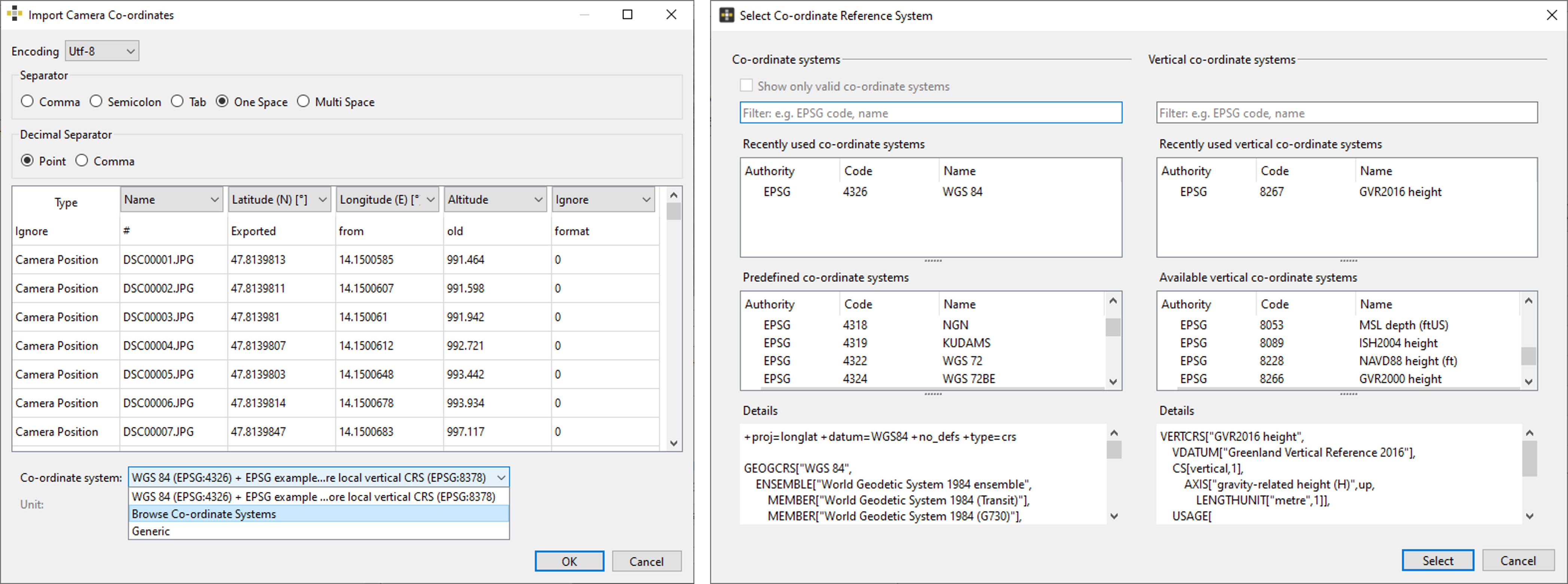
  1. Choose a text file containing the positional information and a dialog appears (Figure 13) requiring following input:
    1. Character encoding
    2. Used separator
    3. Data classification (E/N/H and name or latitude/longitude/altitude and name)
    4. Choose
      1. Generic and specify the unit from the pull-down menu (Figure 13). Available units are (millimeter [mm],  meter [m], inch [in], international foot [ft], US survey foot. OR
      2. Browse Co-ordinate System”  and specify the co-ordinate system [horizontal and vertical system] in the Select Co-ordinate Reference System dialog. 
  2. Click the “OK” button to import the co-ordinates
For a successful import the picture name of the loaded images and the imported co-ordinates have to match. 
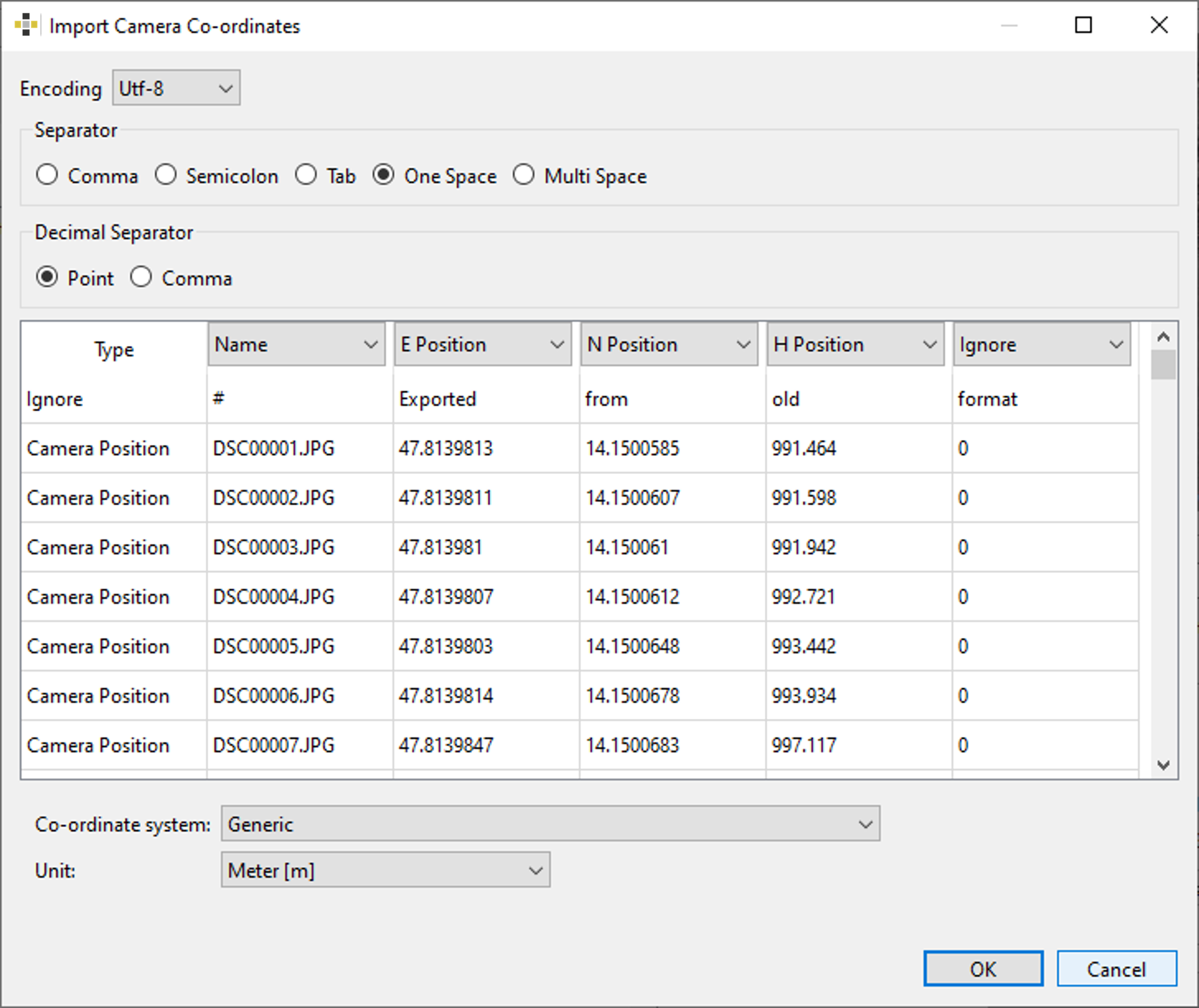
Import of camera co-ordinates dialog - Generic import
Import of camera co-ordinates dialog - Generic import 
Import of camera co-ordinates dialog – specific co-ordinate system
Rocscience logo, click here to return to the homepage Portal Account Portal Account Portal Help Log In Log Out Home Shopping Cart icon Click here to search our site Click here to close Learning Tech Support RSInsight+ Logo Documentation Info Chevron Delete Back to Top View More" Previous Next Edit PDF File Calendar Location Language External Link Apply to ACC External Link Fees Video Click here to visit Rocscience's LinkedIn page Click here to visit Rocscience's YouTube page Click here to visit Rocscience's X page Click here to visit Rocscience's Facebook page Click here to visit Rocscience's Instagram page Click here to visit Rocscience's Reddit page Bookmark Network Scroll down for more Checkmark Download Print Back to top Single User Multiple Users RSLog RocFall3 CPillar Dips EX3 RocFall RocPlane RocSlope3 RocSupport RocTopple RS2 RS3 RSData RSPile RSWall NovoTech Bundle RSSeismic Settle3 Slide2 Slide3 SWedge UnWedge RocTunnel3 RocSlope2 BlastMetrix ShapeMetriX FragMetriX TestLicense Commercial License Education License Trial License Shop safe & secure Money-back guarantee