Punctual Occurrence
The feature Punctual Occurrence allows one to map a single event (occurrence) on the 3D model by a sphere. Standard operating procedure:
- Click on the “Punctual”
 icon in the toolbar of the Occurrences tab or use the shortcut key “P”
 - Mark the Punctual Occurrence with a left button mouse click. Clicking on a different location resets the position.
- Finish the Punctual Occurrence and continue the mapping by pressing the “Space” key or finish the Punctual Occurrence by clicking “Enter” or by clicking the “Punctual Occurrence” icon.
Edit the Punctual Occurrence by a double click with the right mouse button on the item and set a new position of the Punctual Occurrence by clicking the left mouse button.
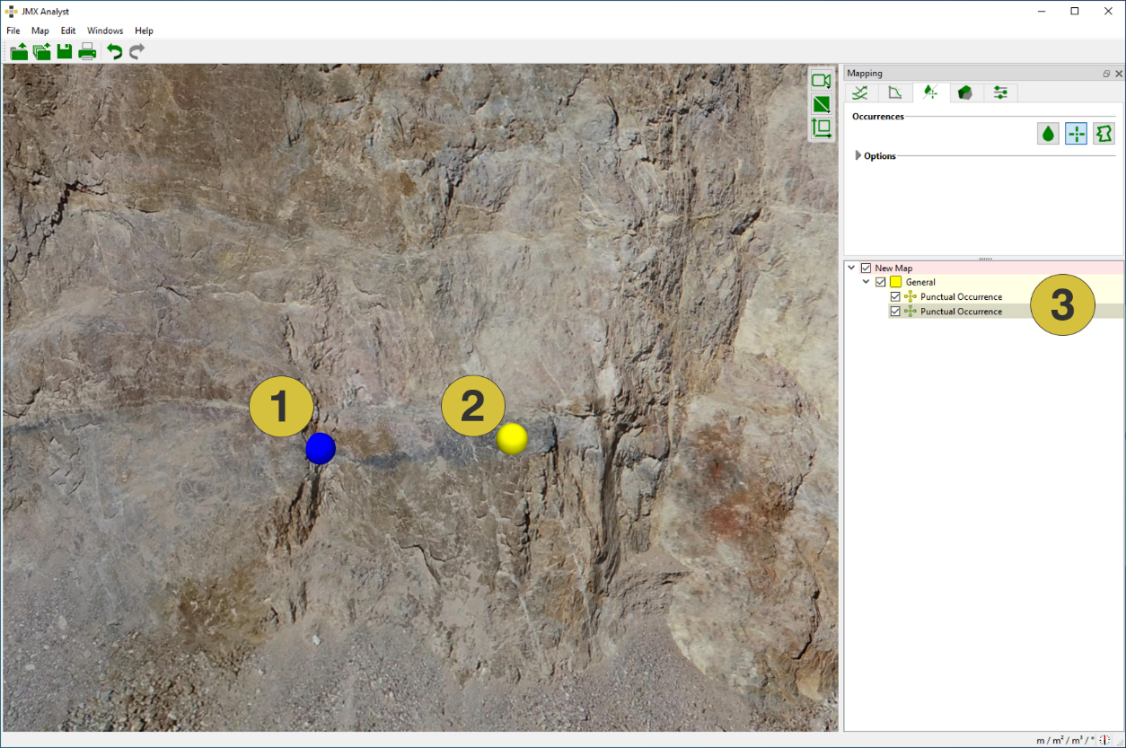
- Active measurement (blue sphere)
- Inactive measurement (yellow sphere)
- Punctual Occurrences in the Occurrences tab with the active measurement highlighted
The below figure shows the Properties pane for Punctual Occurrences. The pane is opened in the context menu with “Show Properties” or by a click on “Windows | Properties” in the menu bar. It comprises the name of the Punctual Occurrence annotation, co-ordinates of the position and the size of the annotation (editable radius of sphere). The name is editable in the in order to provide a descriptive name. Customized notes can be added to individual Punctual Occurrences in the Notes tab.
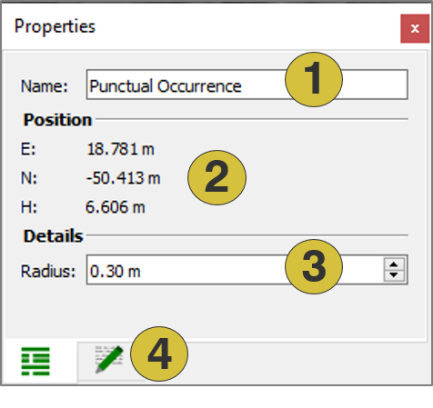
- Name of Punctual Occurrence (editable)
- Position
- Radius of the sphere (editable)
- Notes (editable)
Context menu
- Edit
Move the occurrence by clicking the left mouse button - Set Colour
Defines a new colour for the Punctual Occurrence - Active
Activates (shows) and deactivates (hides) the selected item - Look at
Centers the occurrence in the 3D viewer - Look at and Zoom
Centers and zoom the occurrence in the 3D viewer - Delete
Deletes the selected Punctual Occurrence - Show Properties
Opens the Properties pane for Punctual Occurrences - Export
- Export as DXF - Exports the measurement as ”.dxf” file
- Export as VRML - Exports the measurement as ”.vrml” file