Depth Colouring
The tool Depth Colouring features the colouring of the surface depending on the distance of the 3D model surface from the Reference Plane (“depth”). The false colour overlay is a tool for displaying irregularities of the surface. A legend illustrates the steps of the depth from blue to red. Depth Colouring is activated by a click on the “Depth Colouring”  icon in the toolbar of the Geometry tab.
The selection “User Defined” allows the user to modify the maximum and minimum distance from the Reference Plane. Depths beyond these values are coloured in red and blue, respectively. It is also possible to define the number of increment steps. Using the selection “Default” the depth is displayed from the foremost to the backmost point using a continuous colour gradient. The Reference Plane is visualized by activating the “Show Reference Plane” checkbox in the Geometry tab or by a click on “View | Show Reference Plane” in the menu bar.
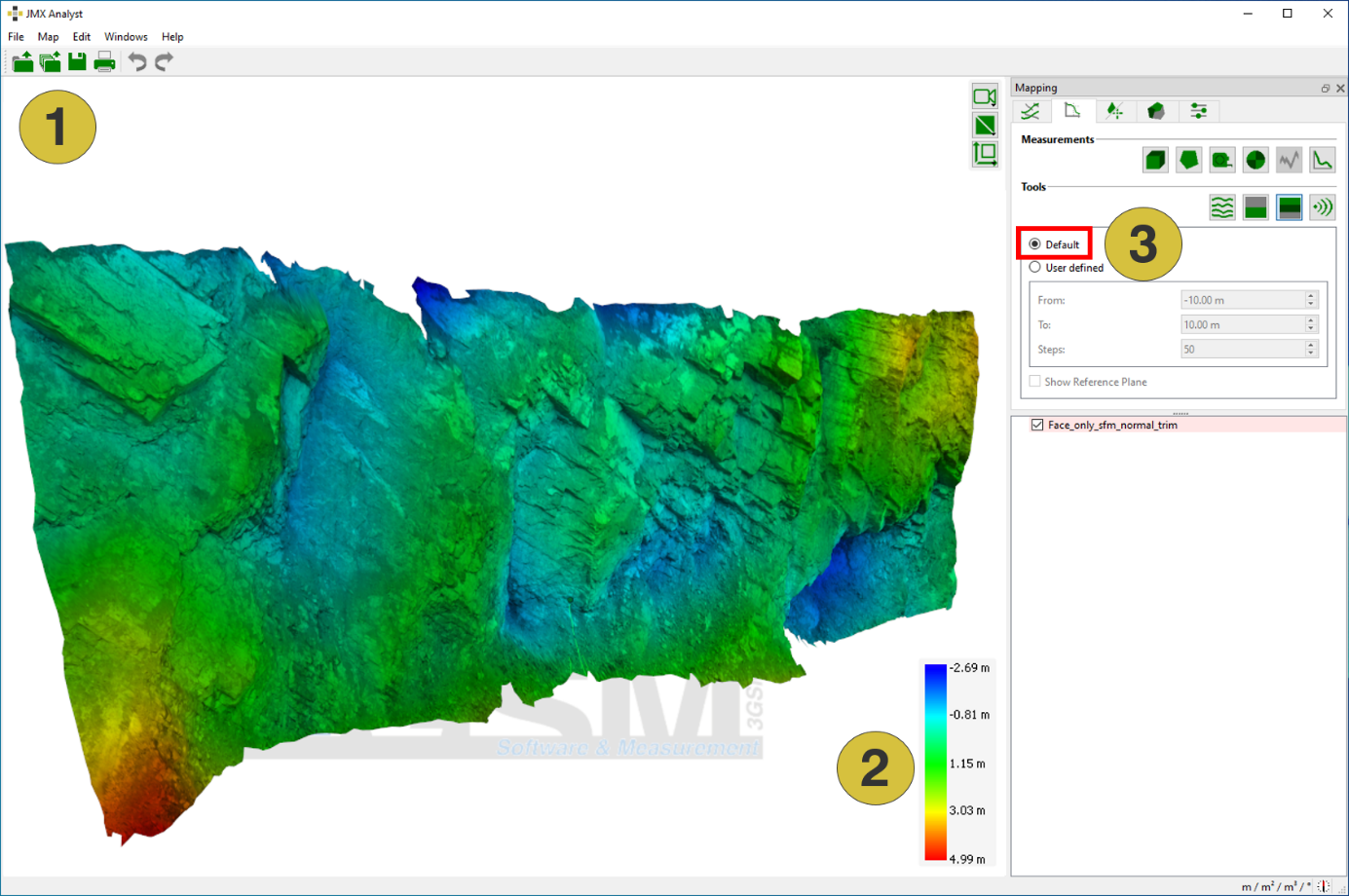
- False coloured 3D model
- Colour legend
- Depth Colouring configuration