Mapping
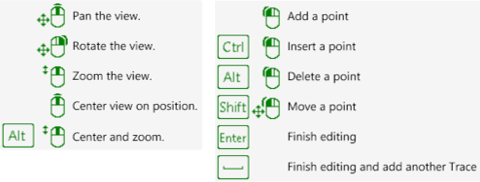
Mapping is done with the left mouse button supported by keys. Available combinations depend on the selected annotation. General functionalities are:
- Select or Add Point or Set or others
Left mouse button - Insert Point or Extend region grow or Add to selection or others
Ctrl + Left mouse button - Move Point
Shift + Left mouse button - Delete Point
Alt + Left mouse button - Delete last point
Alt + Right mouse button - Change growing distance
Ctrl + Mouse wheel - Change sphere of influence
Shift + Mouse wheel - Repeat last command
Space - Finish editing or Clear selection
Esc - Finish editing
Enter
By pressing F1 on the keyboard tooltips for navigation as well as for editing annotations are available in the 3D Viewer. The tooltips may differ in respect to the active item.
Invalid segments in Traces and Areas
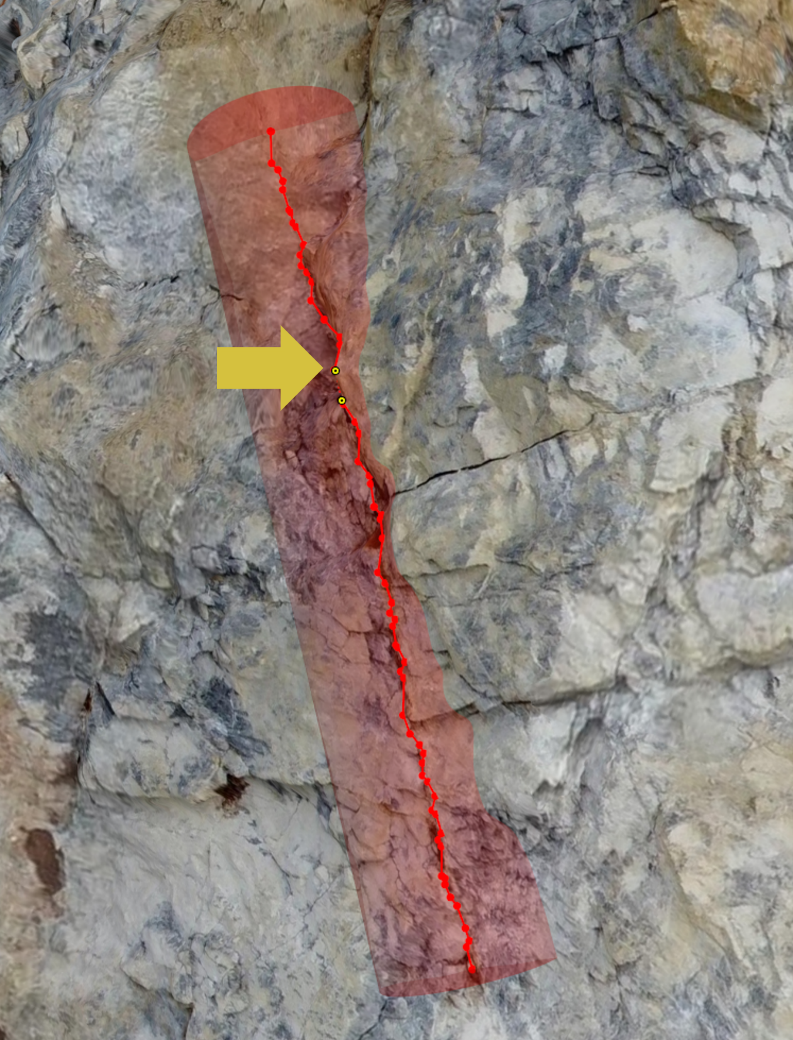
Invalid segments cannot be drawn on the 3D surface due to self-intersections, overhangs – blind areas, etc. Affected segments are marked by a yellow dot . Annotations with invalid segments cannot be confirmed but require user intervention. Remediation options:
- draw annotation from a different angle (rotate 3D model) such that the feature can be seen as a whole
- move affected points (Context menu | Edit | Move point OR Shift + Left Mouse Button) to a position visible by the user
- choose different seed points for Region Grow and Guided Trace