Export to Rocscience Software
Export settings for each file format are defined in the respective export dialogs. Following options are available:
- RocTunnel3 - “File | Export 3D Model | Export for RocTunnel3”: Exports an “.obj” file. The number of exported model points can be specified. When exporting the 3D model, the structural mapping can optionally be included as “.3gdps” file by enabling the “Include Map” checkbox.
- RocFall3 - “File | Export 3D Model | Export for RocFall3”: Exports an “.3grs” file. The number of exported model points can be specified. Optional: exports a “.png” file when the “Export Screenshot” checkbox is enabled.
- RocSlope3 - “File | Export 3D Model | Export for RocSlope3”: Exports an “.3grs” file. The number of exported model points can be specified. When exporting the 3D model, the structural mapping can optionally be included as “.3gdps” file by enabling the “Include Map” checkbox.
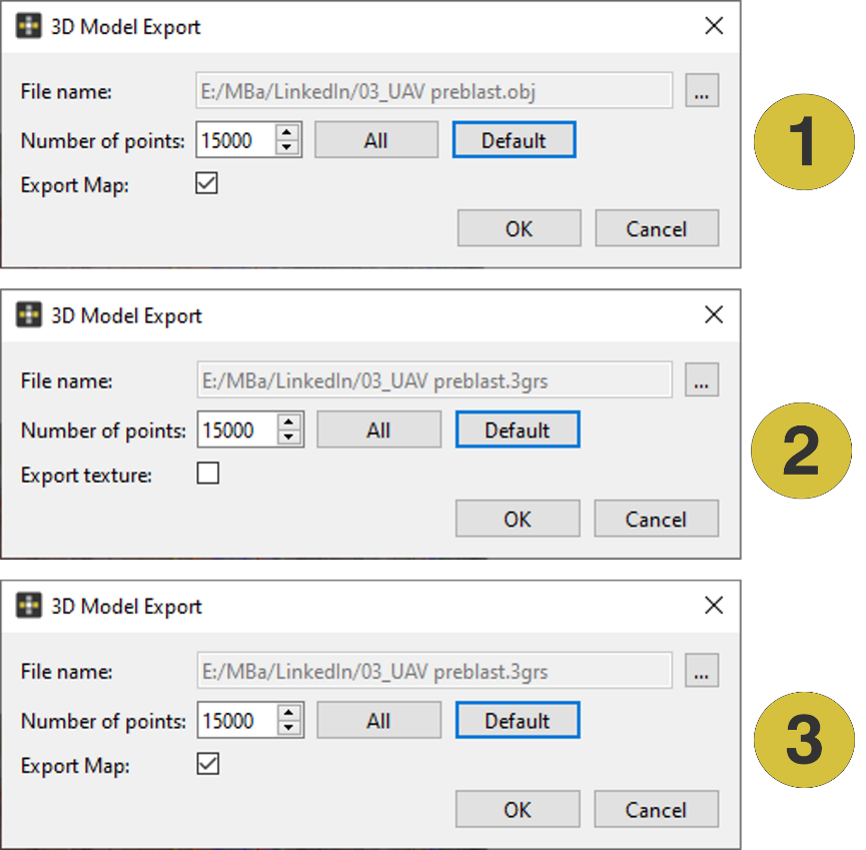
- Export dialog for RocTunnel3
- Export dialog for RocFall3
- Export dialog for RocSlope3