Search Results

One Range Pole Mode

The One Range Pole Mode changes the geometry of the generic 3D model into a metric 3D model. It relies on a vertically installed Range Pole with two targets. The distance between targets must be known and serves as the scaling distance. It is necessary that the Range Pole is visible in at least two images within a 3D model.
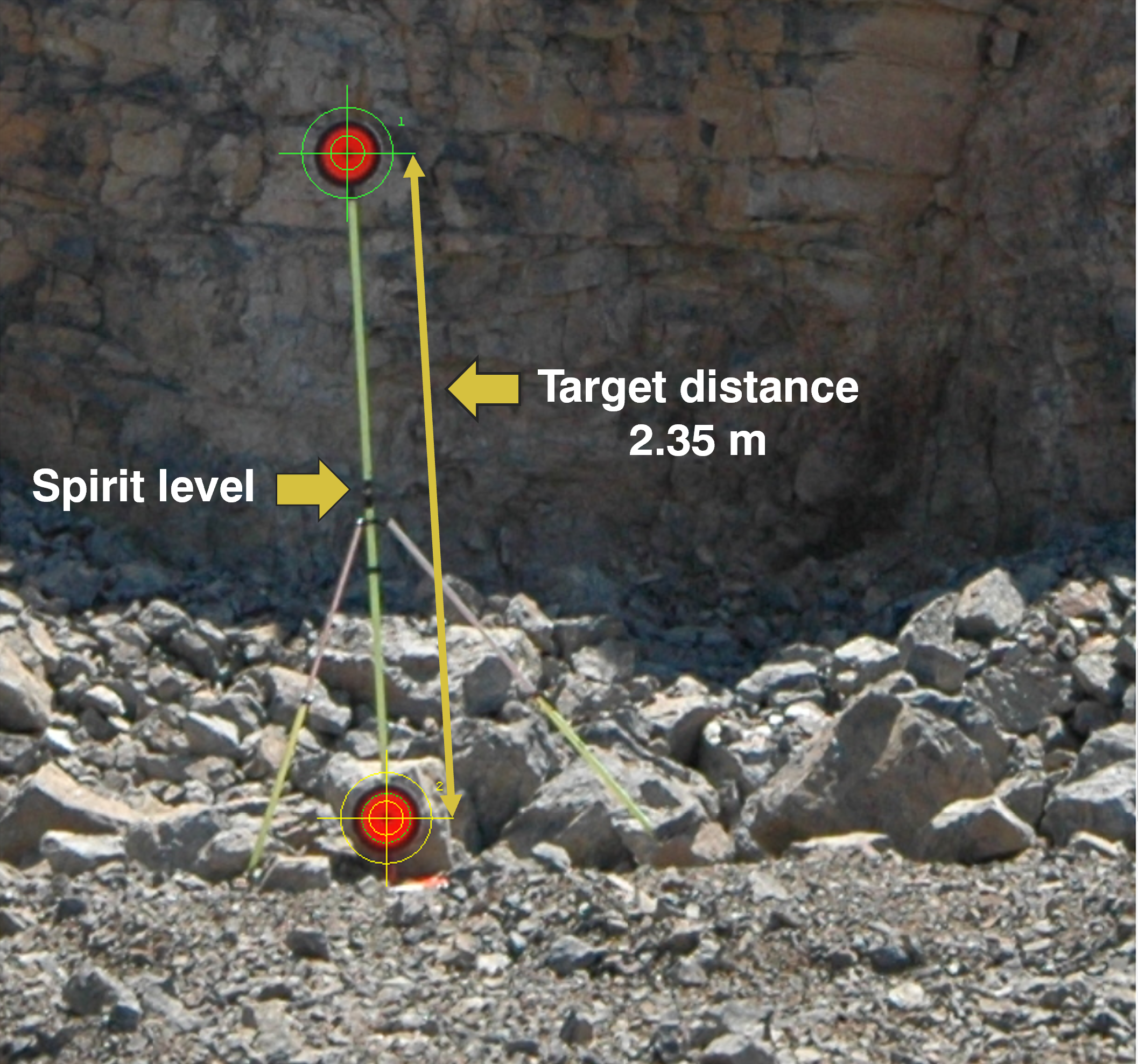
FIgure
Vertically installed Range Pole with two targets. Note that the Range Pole might appear not to be vertical due to tilted camera when taking the picture and/or lens distortion.

North Correction

The 3D model can be orientated to North using the One Range Pole Mode with Reference Line. The mode is used to scale and rotate a generic 3D model into its correct vertical and horizontal orientation. The rotation of the 3D model about its vertical axis is based on the measured azimuth (geographic direction) of a reference line in the field, the so-called target azimuth. The Reference Line in the 3D model is defined by two points - Start Point and End Point - while the direction of the Reference Line points from start to the end point. 
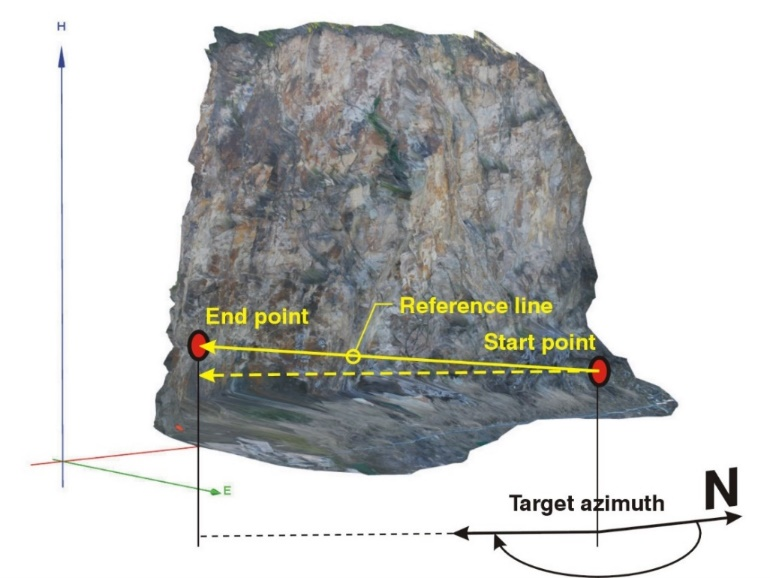
North correction
Definition of the target azimuth in the One Range Pole Mode with Reference Line. The target azimuth is the direction of the horizontal projection (dashed line) of the Reference Line from start point to end point relative to north.

Surveyed Control Point (optional)

This mode is also used to shift the 3D model to a position in space using a surveyed Ground Control Point (GCP). The GroundControl Point be an artificial target or natural or marked points on the rock face. Co-ordinates (Easting, Northing, Height) must be known for using a GroundControl Point

Rocscience logo, click here to return to the homepage Portal Account Portal Account Portal Help Log In Log Out Home Shopping Cart icon Click here to search our site Click here to close Learning Tech Support RSInsight+ Logo Documentation Info Chevron Delete Back to Top View More" Previous Next Edit PDF File Calendar Location Language External Link Apply to ACC External Link Fees Video Click here to visit Rocscience's LinkedIn page Click here to visit Rocscience's YouTube page Click here to visit Rocscience's X page Click here to visit Rocscience's Facebook page Click here to visit Rocscience's Instagram page Click here to visit Rocscience's Reddit page Bookmark Network Scroll down for more Checkmark Download Print Back to top Single User Multiple Users RSLog RocFall3 CPillar Dips EX3 RocFall RocPlane RocSlope3 RocSupport RocTopple RS2 RS3 RSData RSPile RSWall NovoTech Bundle RSSeismic Settle3 Slide2 Slide3 SWedge UnWedge RocTunnel3 RocSlope2 BlastMetrix ShapeMetriX FragMetriX TestLicense Commercial License Education License Trial License Shop safe & secure Money-back guarantee