Conversion of JM3 Files
ModelEditor reads files exclusively in “.jm3x” file format. Models from previous versions (“.jm3”) can be converted by following procedure:
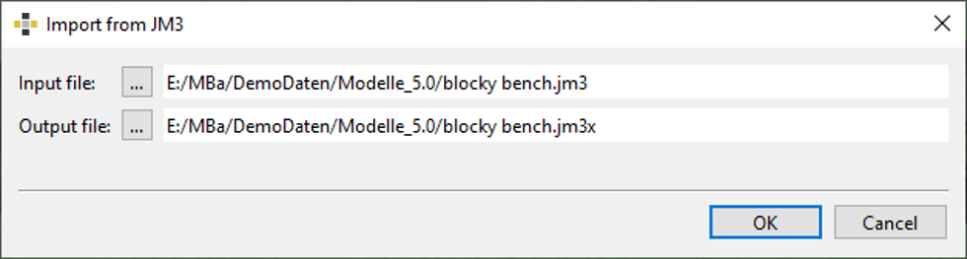
- Import the 3D data (“.jm3” file) by using “File | Import 3D model | Import from JM3” from the menu bar.
- The “Import from JM3” dialog appears requiring the path and name of the input (.jm3”) and output (.jm3x) file.
Batch converter
The converter is a tool that automates the process of converting multiple “.jm3” files into “.jm3x” files. This allows to process numerous files efficiently without the need of manual interaction by following procedure:
- Open the dialog for conversion by using “File | Convert Multiple JM3 to JM3X Files” from the menu bar.
- Click the “Add 3D Models” button and select the 3D model to converts on the directory of your computer by multiple selection.
- Start the conversion by clicking the “Start” button. The current status of processing is displayed in the lower part of the dialog.
- After processing close the dialog by clicking the “Close” button. The jm3x files can be found in the source folder on the directory of your computer.
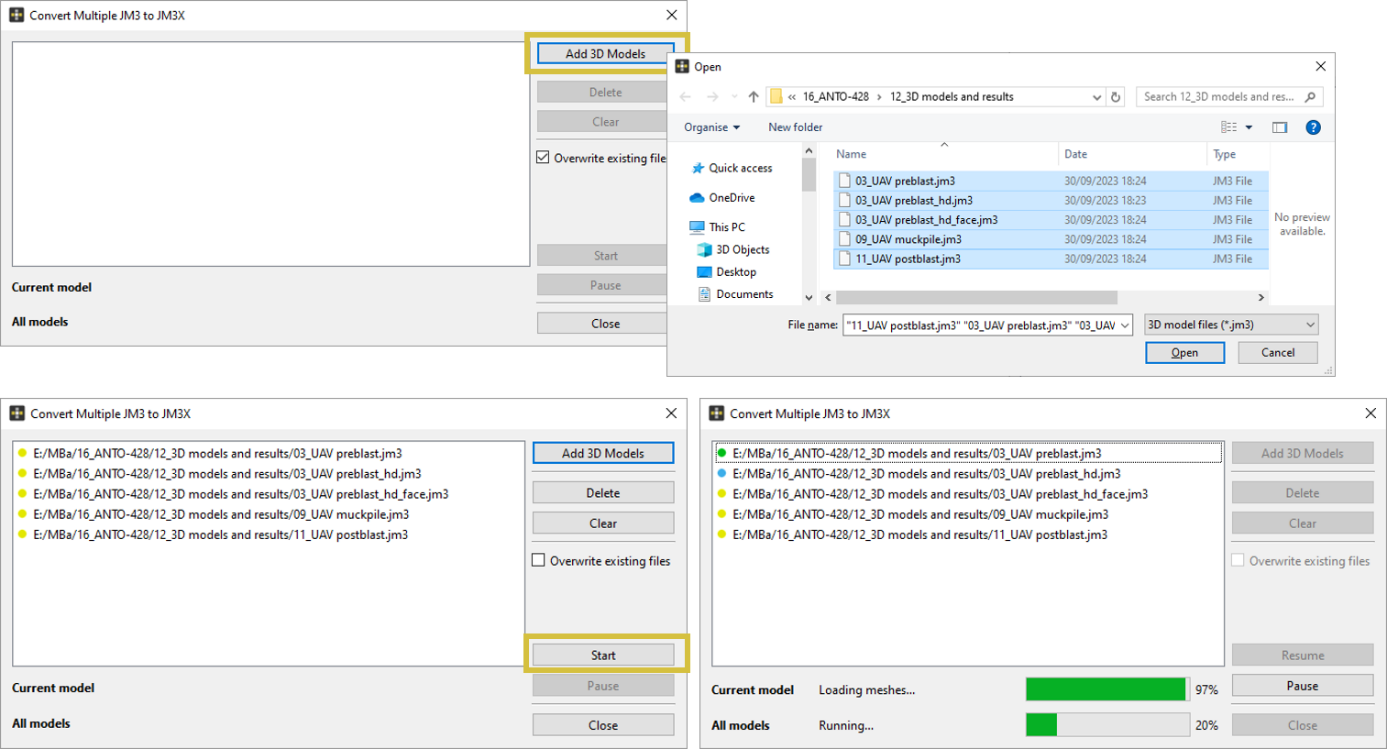
The dialog features following functions:
- Add 3D model - Adds 3D models to covert
- Delete - Deletes a 3D model from the list
- Clear - Clears the list of models to convert
- Overwrite existing files - Overwrites already converted 3D models
- Start - Starts the bath conversion
- Pause - Pauses the conversion process
- Close - Closes the batch converter dialog