User Interface
The user interface of the Fragmenter comprises the menu bar, the toolbar, the 2D/3D viewer, and three detachable panes i.e. Data, Settings and Plot. Panes can be attached and detached from the main window. The size and the shape of the panes can be adjusted with the mouse. Undocked panes can be placed on different screens. The layout of the user interface is set to default by selecting the menu “Windows | Reset Layout”. The viewer and the panes are arranged to its original layout. The user can switch between the 2D and 3D viewer by clicking “2D” or “3D” icon in the toolbar.
The Plot and Settings pane are visible per default. The Data pane is requested from the menu “Windows”.
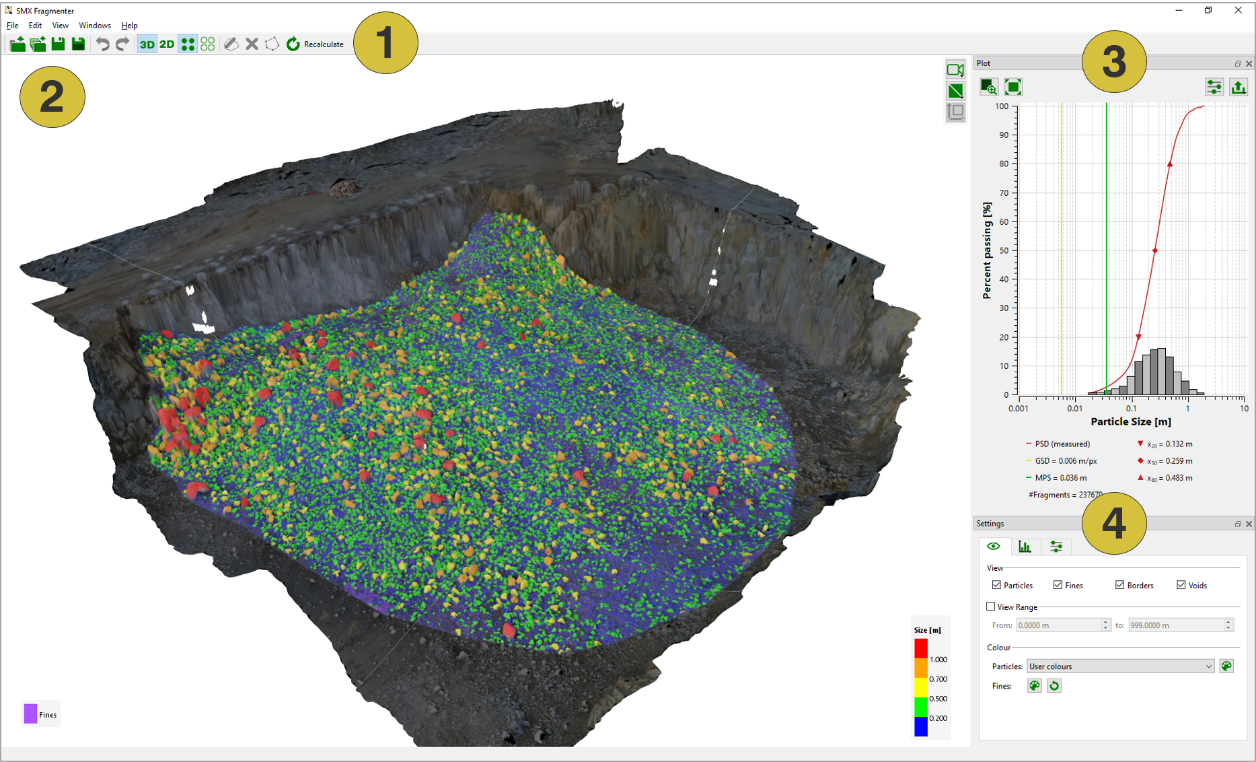
- Menu bar and toolbar
- 3D viewer
- Settings pane
- Data pane