System Settings
The System sheet shown below shows specific system information and provides access to a demo license server. In addition it allows the user to customize the directories for temporary files.
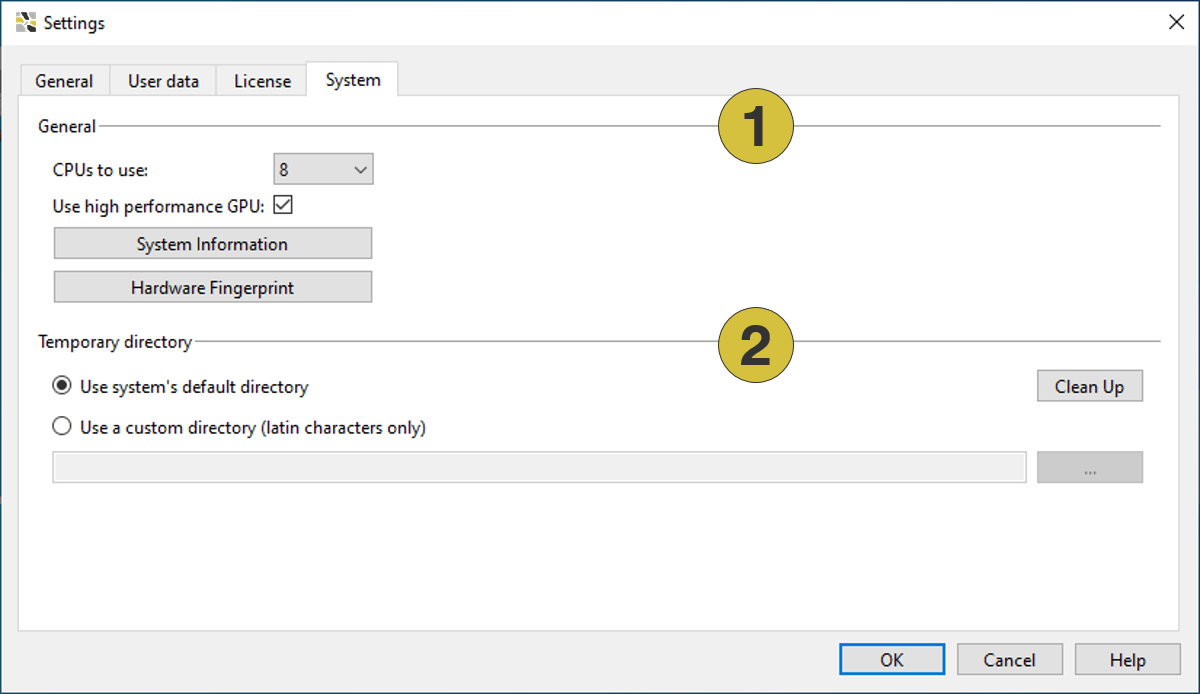
- General
- Temporary directories
General
- CPUs to use
Allows to limit the number of CPUs (center processing units) used by the software (only relevant for multi-core processors). The standard setting is the number of CPUs of your computer. - Use high performance GPU (recommended)
- System Information
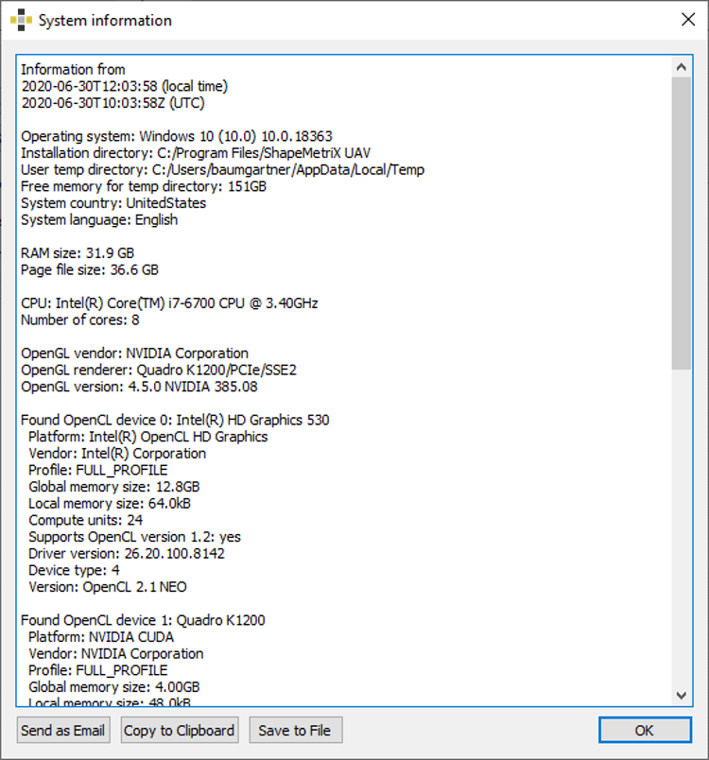
A dialog is opened by a click on “System Information” providing overall information about the installed software (e.g. operating system, installation directory, temporary directory etc.). The specifications can be sent as e-mail, copied to clip board or saved to file (“.txt”) with a click on the corresponding button, i.e. “Send as Email”, “Copy to Clipboard” or “Saved to File” respectively.
Temporary Directory
- Use system´s default directory
Uses system’s default directory, when running computers with an ASCII operating system. - Use a custom directory
Uses a custom directory, when running computers with a non ASCII operating system. The custom directory can be anywhere on the computer but the path and the directory name must be written in Latin letters. - Clean up
Removes temporary files from the computer.