Search Results

Report

The Fragmenter automatically generates a report to a “.pdf” file by clicking “File | Export Report to PDF”. The report includes:

  • key data of the current project (date of report generation, project name, data and description)
  • Particle Size Distribution Plot with the corresponding parameters
  • 2D image with the corresponding fragmentation analysis 
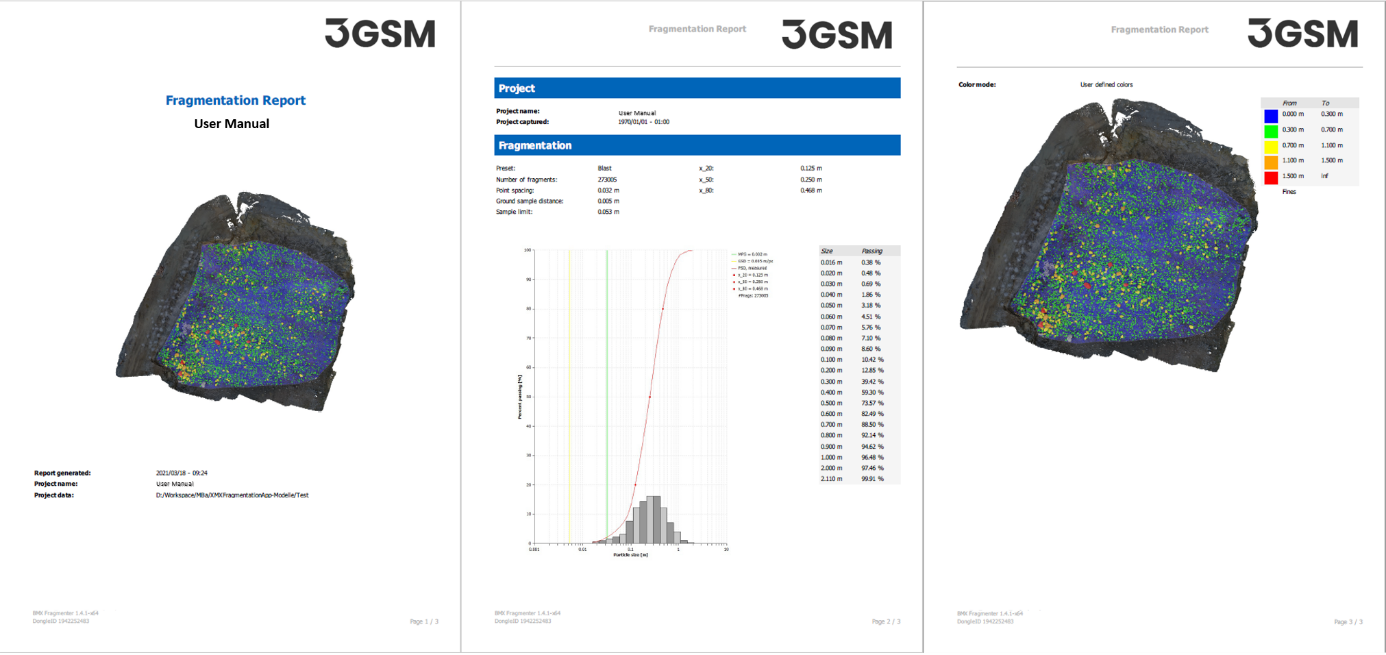
Automatically generated fragmentation report
The given value for “Area total” is the area within the analysis mask whereas the “Area analysed” is the area classified as particles, fines and voids. 
User defined notes are added to the report in the dialog “Edit Project Information” called up by the command “File | Edit Project Information” in the menu bar. 
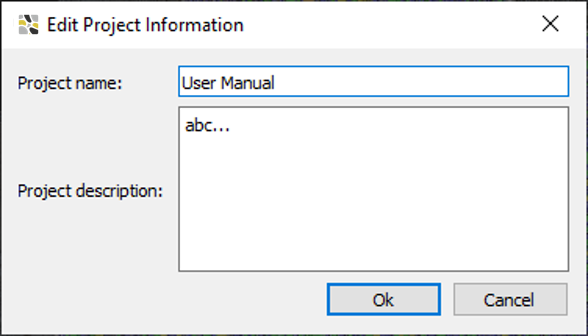
Project information
Project information
Rocscience logo, click here to return to the homepage Portal Account Portal Account Portal Help Log In Log Out Home Shopping Cart icon Click here to search our site Click here to close Learning Tech Support RSInsight+ Logo Documentation Info Chevron Delete Back to Top View More" Previous Next Edit PDF File Calendar Location Language External Link Apply to ACC External Link Fees Video Click here to visit Rocscience's LinkedIn page Click here to visit Rocscience's YouTube page Click here to visit Rocscience's X page Click here to visit Rocscience's Facebook page Click here to visit Rocscience's Instagram page Click here to visit Rocscience's Reddit page Bookmark Network Scroll down for more Checkmark Download Print Back to top Single User Multiple Users RSLog RocFall3 CPillar Dips EX3 RocFall RocPlane RocSlope3 RocSupport RocTopple RS2 RS3 RSData RSPile RSWall NovoTech Bundle RSSeismic Settle3 Slide2 Slide3 SWedge UnWedge RocTunnel3 RocSlope2 BlastMetrix ShapeMetriX FragMetriX TestLicense Commercial License Education License Trial License Shop safe & secure Money-back guarantee