Underground Mode
The Underground Mode supports volume calculations from two 3D models derived from repeated digital imaging of a region (pre and post situation). The volume is achieved by the generation of a watertight volume mesh. Therefore, 3D models need to be trimmed, that only the two surfaces enclosing the volume to be calculated remains.
Standard operation procedure
- Select “Underground Mode” launching the VolumeCalculator.
Load the 3D models one after the other by clicking the “Load 3D Models“
 icon in toolbar. Check the images for plausibility with the sliders “First Model” and “Second Model.”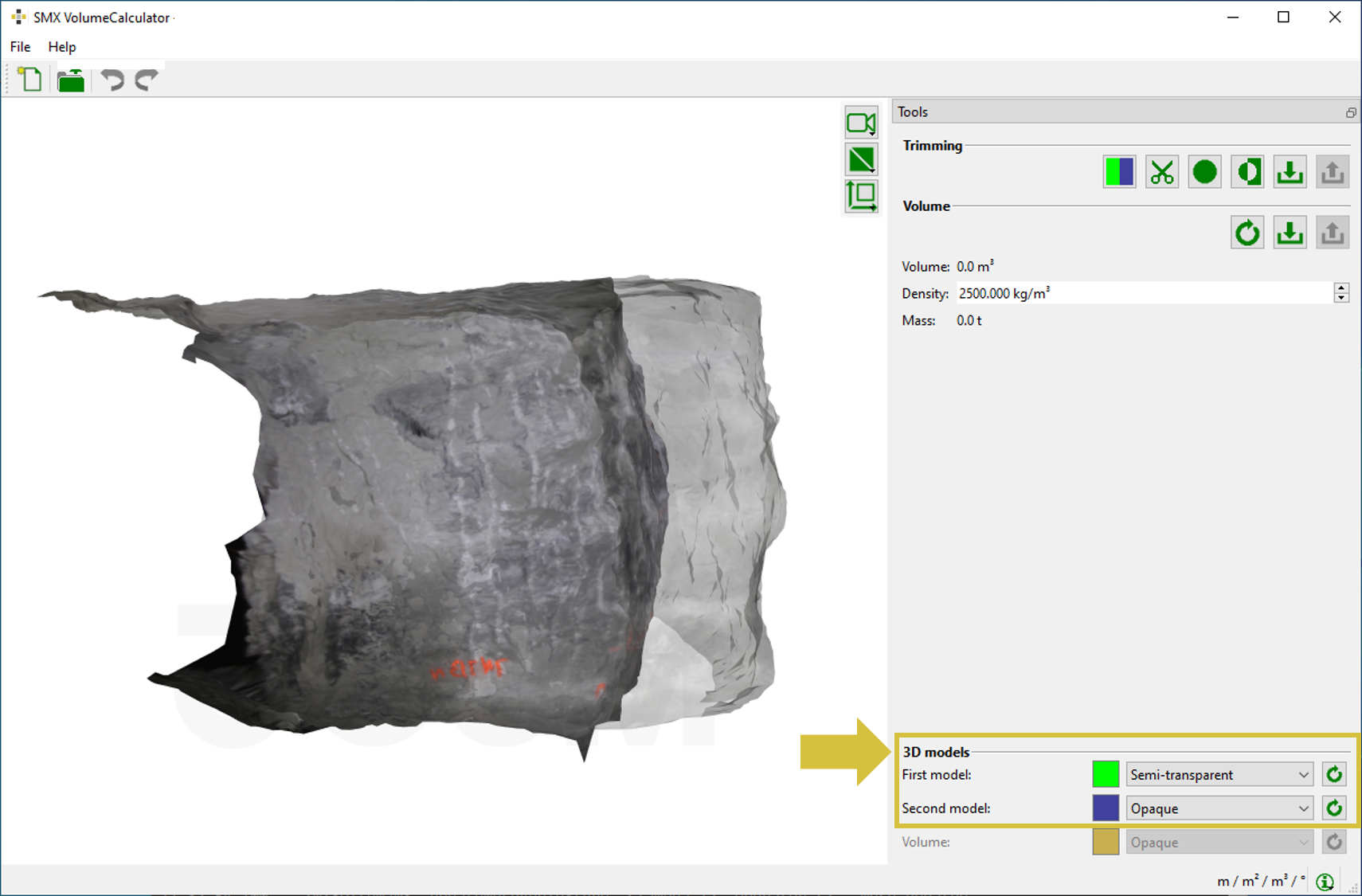
Loaded 3D models of a tunnel excavation - Trim the 3D models that only the volume body to be calculated remains:
Start the trimming procedure by clicking the “Trim Model(s)”
 icon in the Tools pane. The 3D models are displayed with a colour overlay in the viewer.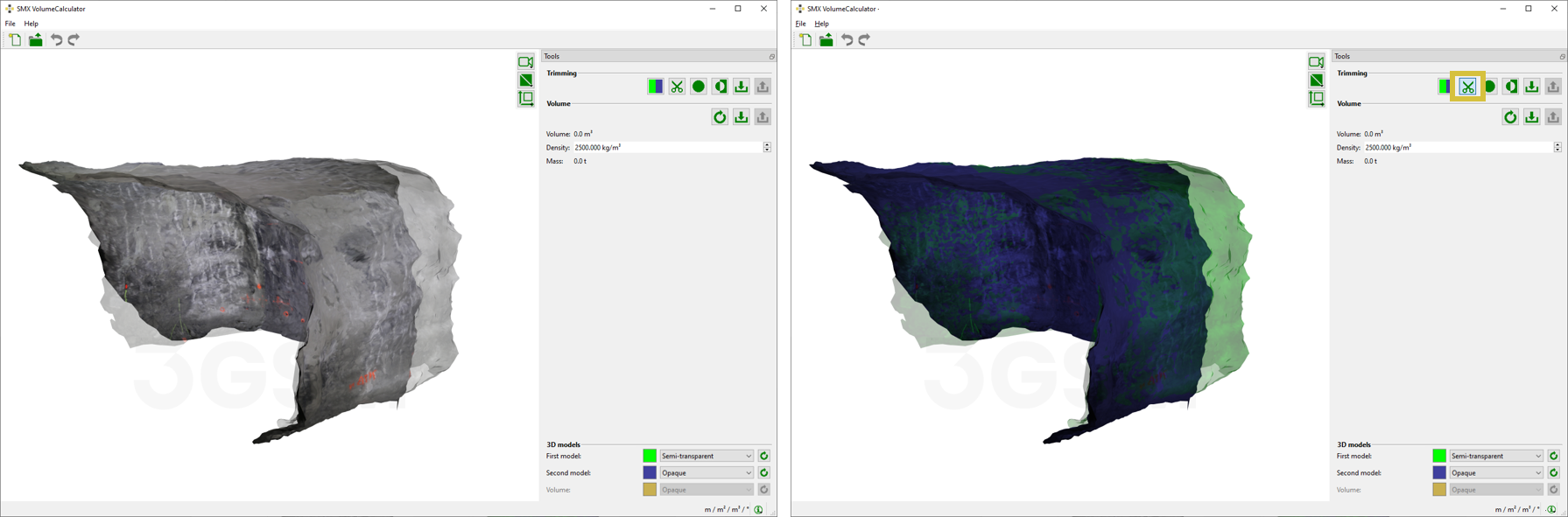
Left: 3D models (first and second) in the 3D viewer. Right: The 3D models are displayed with a colour overlay after activating the trimming procedure. The colour overlay is customized in the Colour dialog which opens by clicking the “Pick Colour” icon in the Tools pane.
- Toggle between the target 3D model, i.e. the 3D model to be trimmed, by clicking “Toggle Target”
 in the Tools pane. Only the chosen model(s) to be trimmed appear(s) with the defined colour overlay.
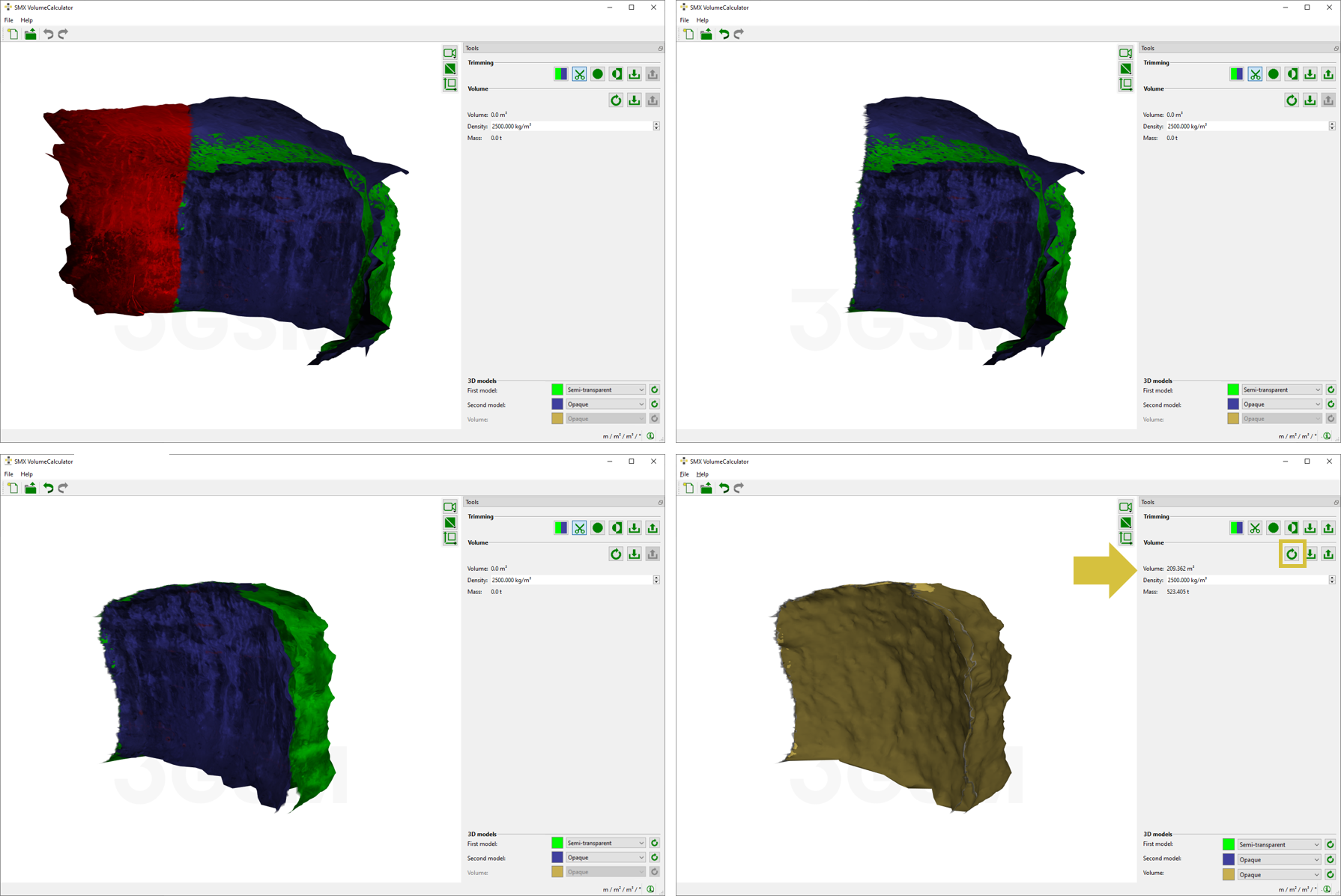
 - Enclose the region to delete by dragging the cursor across the 3D model while keeping the left mouse button pressed. After releasing the mouse button, the selected region is highlighted in red.
Apply the trim selection by clicking the “Space” button or apply the trim selection and finish editing by clicking the “Enter” button.
Press “Shift” while keeping the left mouse button pressed to draw a straight line.The selection of points in inverted by clicking the “Invert Selection” icon in the Tools pane. Previously unselected areas are now highlighted and will be deleted by pressing the middle mouse button.
- Go on trimming until the surfaces of the 3D models are reduced to the volume to be calculated.
- Press the “Recalculate”
 icon in the toolbar of the Tools pane to start volume calculation. A watertight volume body is generated and the result is immediately displayed on the 3D viewer and in the Tools pane.