Preselection of Images in the 3D Viewer
Images for processing can be selected directly in the 3D viewer in the “Show/Select in 3D” opened by clicking the corresponding button. The images represented by their GNSS position as dots in the viewer. Standard operating procedure:
- Activate the user selection in the viewer by clicking the button “Select in 3D”

- Select the images to be processed by using the lasso-function in the 3D viewer. Selected images are highlighted in the viewer and in the image list (rigth hand side) immediately after releasing the mouse button.
- Click on the “Apply” button to confirm the selection. The dialog closes and the selection is applies to the Configure project interface.
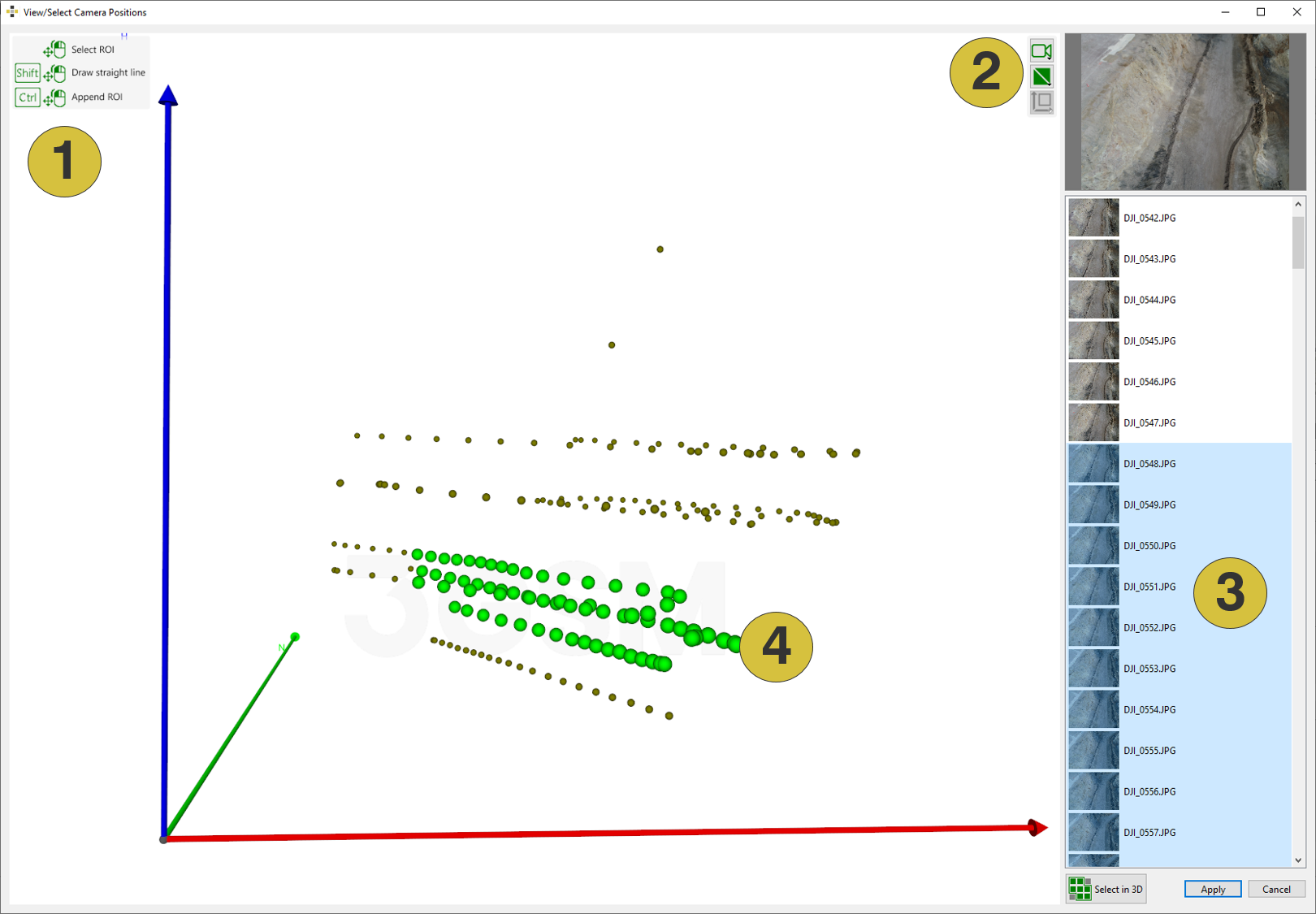
- 3D Viewer
- Toolbar of the 3D viewer
- Selected images highlighted in the image list
- Selected images highlighted in the 3D viewer
The feature is only available of GNSS positional information for the images is available (EXIF information or imported camera co-ordinates.)