Import of Camera Coordinates
Positional information can be imported separately to individual pictures by selecting the “Import Camera Co-ordinates” button. Standard operating procedure:
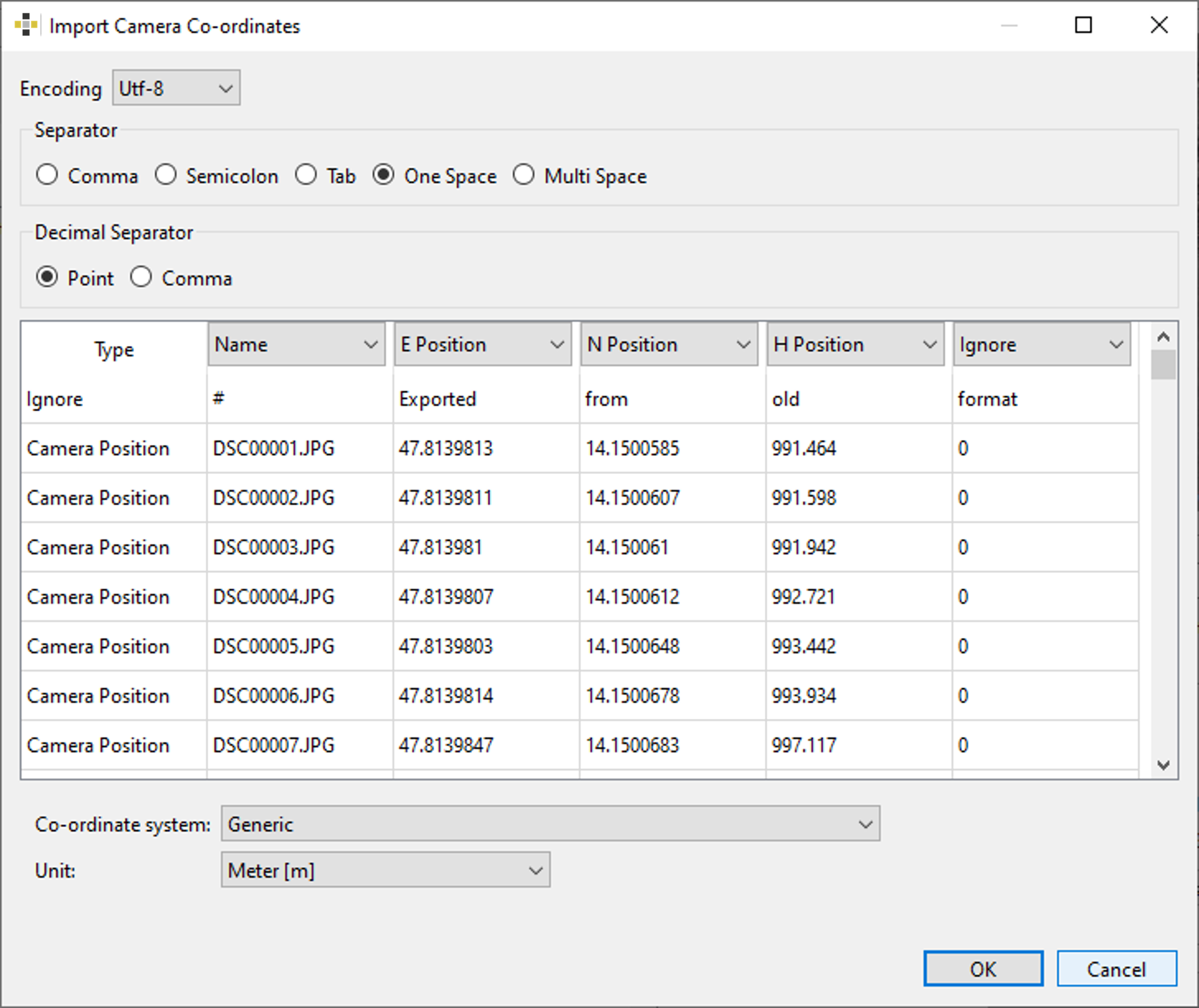
- Choose a text file containing the positional information and a dialog appears (Figure 13) requiring following input:
- Character encoding
- Used separator
- Data classification (E/N/H and name or latitude/longitude/altitude and name)
- Choose
- Generic and specify the unit from the pull-down menu (Figure 13). Available units are (millimeter [mm], meter [m], inch [in], international foot [ft], US survey foot. OR
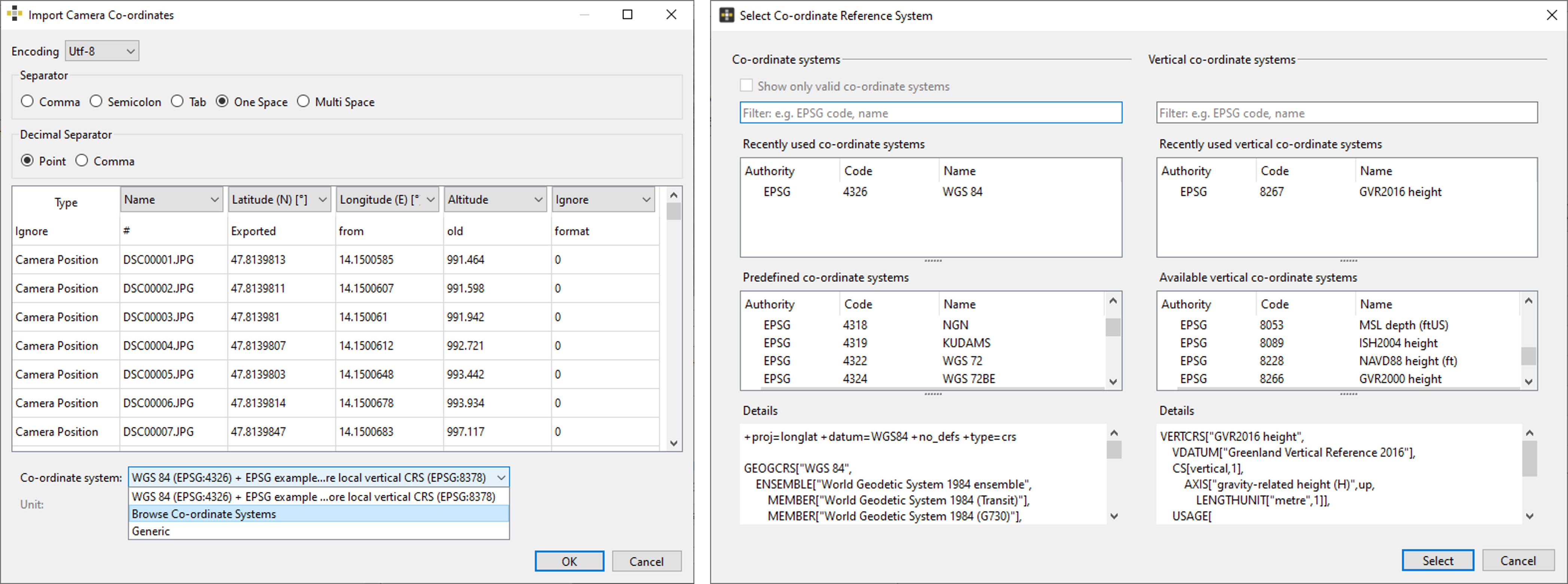
- “Browse Co-ordinate System” and specify the co-ordinate system [horizontal and vertical system] in the Select Co-ordinate Reference System dialog.
- Click the “OK” button to import the co-ordinates
For a successful import the picture name of the loaded images and the imported co-ordinates have to match.