Normalize and Scaling Overview
The provided modes are used for scaling a generic 3D model to a metric (scaled one) in a local coordinate system. Additionally, the software allows one to rotate a 3D model to an externally determined azimuth and shift the co-ordinates to one known position (One Range Pole Mode with Reference Line). Furthermore, the Two Range Pole Mode features scaling, vertically orientating, and north-correcting at the same time using two non-parallel Range Poles. Finally, the software offers a procedure to scale the 3D model in a local co-ordinate system with a horizontal reference plane (Sample Mode).
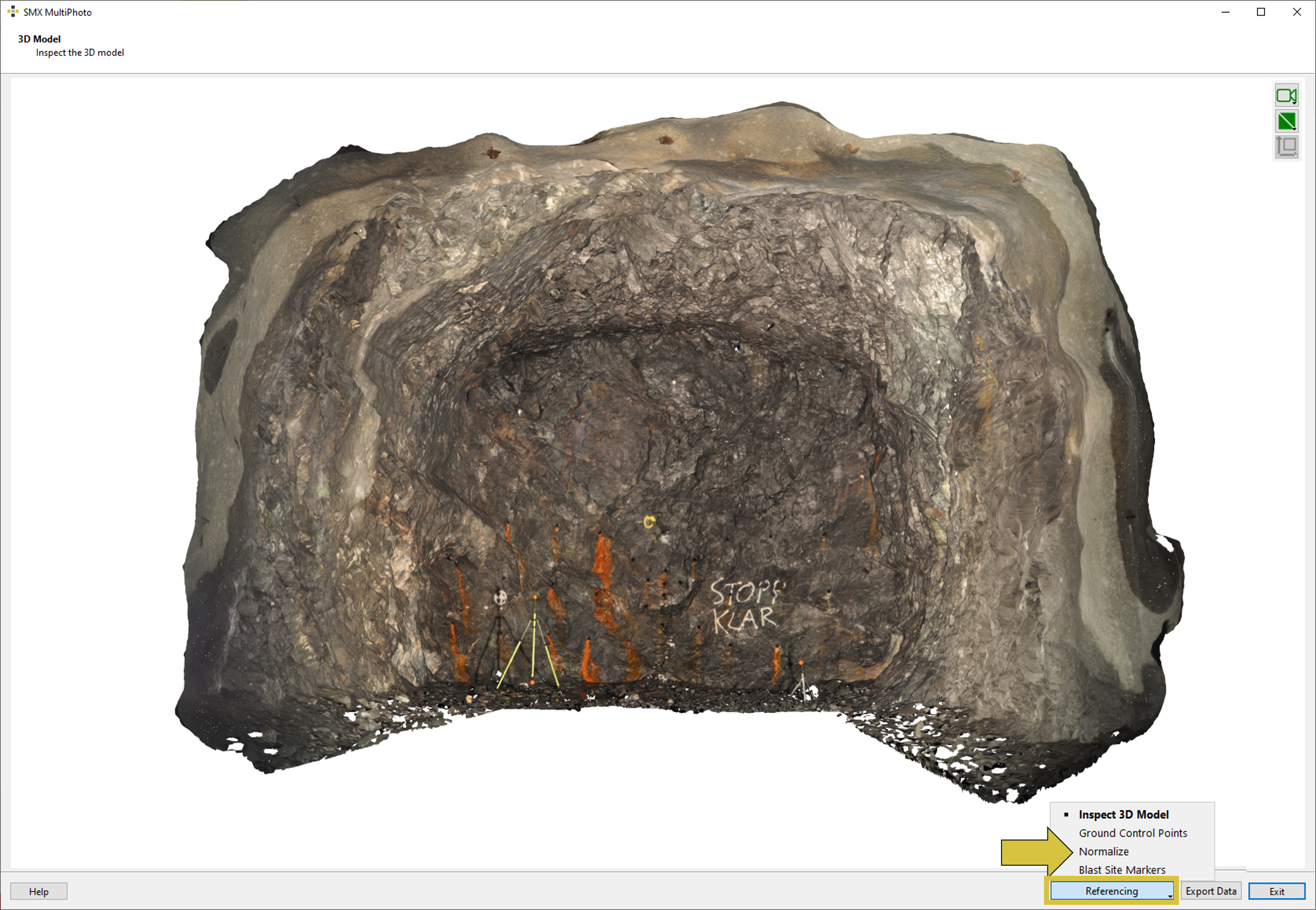
To enter the interface the button “Referencing” and “Normalize” from the pull down menu has to be selected.
User Interface
The user interface Normalize of the MultiPhoto comprises the 3D viewer and the list of target points on the left hand side. On the right hand side it consists of a viewer showing the currently selected image for referencing and corresponding partner images and allows to enter diverse parameter for scaling and orientating the 3D model depending on the mode selected.
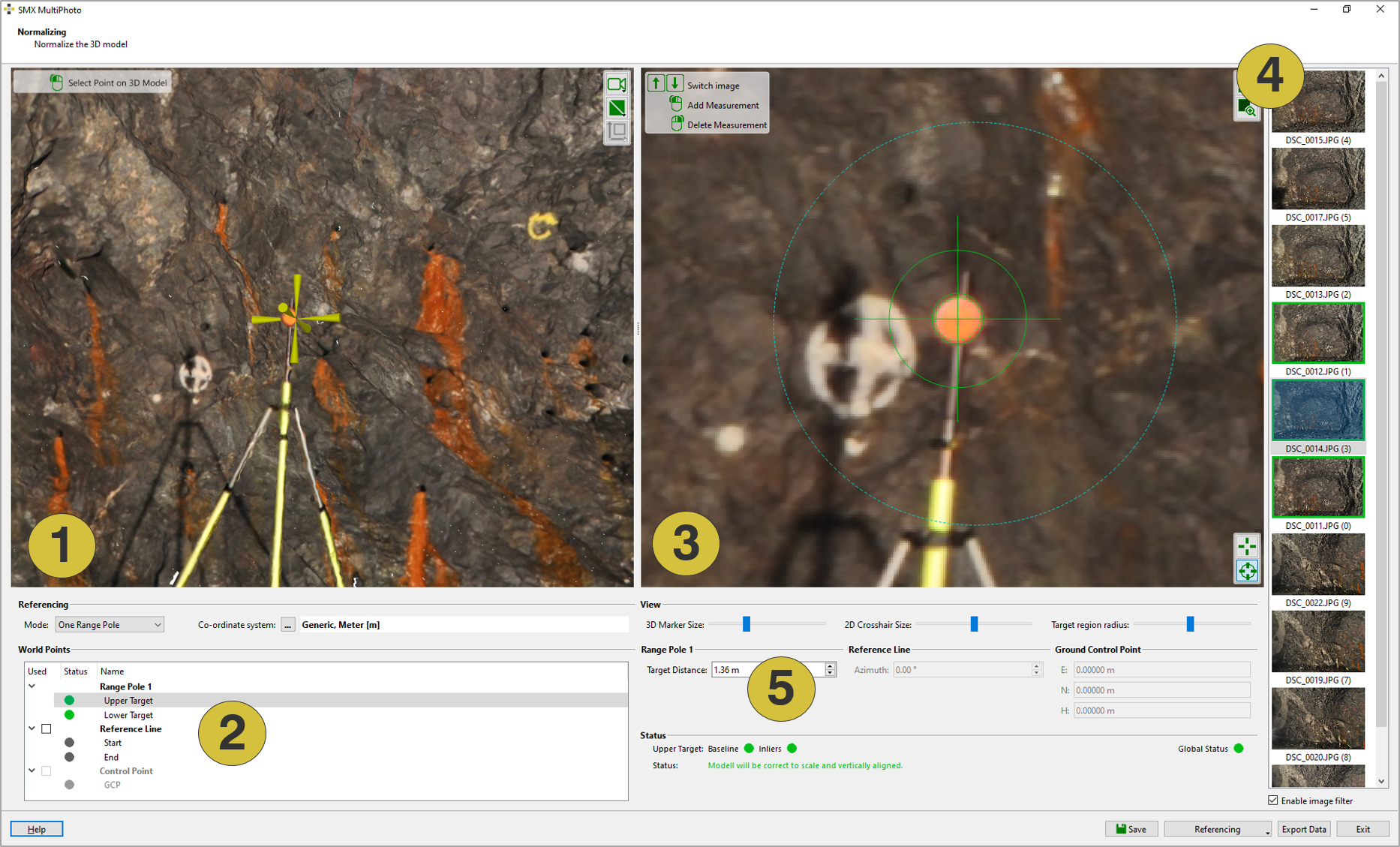
- 3D viewer
- List of target points
- Viewer with selected image
- Partner images
- Parameter for scaling and orientating
Features
The following section describes the available functions of the Normalizing window.
World Points
- One Range Pole - Mode for scaling and orientation the 3D model with one Range Pole
- Two Range Poles - Mode for scaling and orientation the 3D model with two Range Poles
- Sample - Mode for referencing the 3D model in a local co-ordinate system with a horizontal reference plane
- Co-ordinate system - Defines the co-ordinate system [generic or specified]
View (2D Viewer)
 View full image - Fits the size of the image to the size of the viewer
 Zoom to Target Region - Zooms to the target region
 Manual Target Mode - Activates manual targeting
 Automatic Target Mode - Activates automatic targeting
- Sliders
- 3D Marker Size - Changes the size of the target in the 3D viewer
- 2D Crosshair Size - Changes the size of the crosshair in the 3D viewer
- Target Region Radius - Defines the zoom (radius) to the target region
- Enable Image Filter - De/activates the image filter.
- Enabled filter: Images of the currently clicked position in the 3D viewer are listed.
- Disabled filter: All images used for 3D model generation are listed.
General
 Save - References and saves the 3D model (“.jm3x”)
- Referencing - Choose another action: Inspect 3D Model