Edit Multi-Tiered Wall
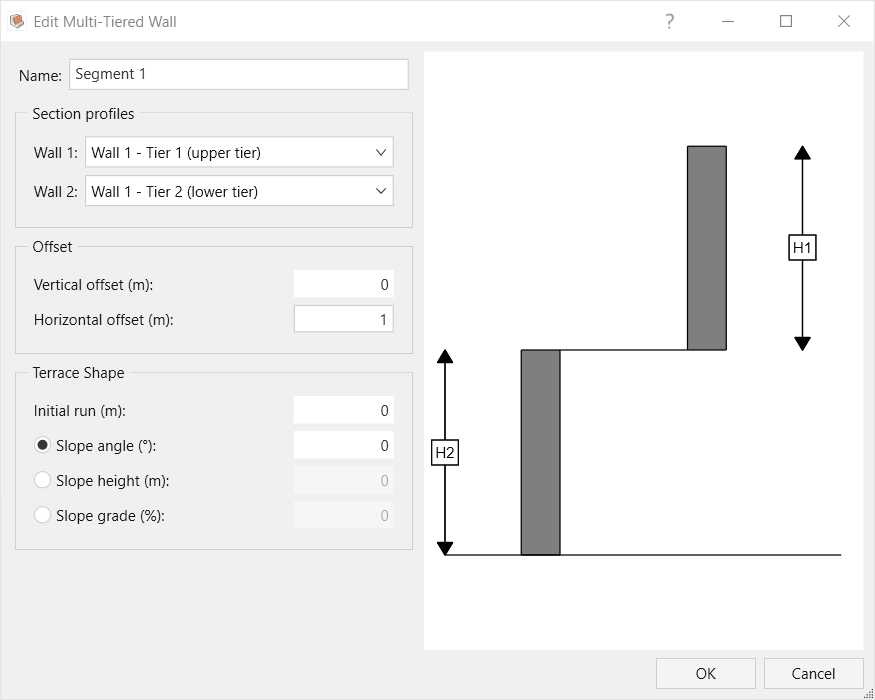
To edit an existing multi-tiered wall, select Wall > Multi-Tiered Wall > Edit to open the Edit Multi-Tiered Wall dialog. The following properties can be edited:
- Section profiles for each tier. To make changes to the profiles, go to Wall > Define Section Profile
- Offset
- Vertical offset: The offset between the top of the lower tier and the bottom of the upper tier. The offset is negative if the upper tier is embedded into the lower tier, or positive if there is a gap between the two tiers.
- Horizontal offset: The horizontal offset between the two tiers. The offset is measured between the heel of the upper tier and the top back of the lower tier.
- Terrace shape
- Initial run: The distance behind the lower tier before the slope starts
The slope can be defined based on its angle, height, or grade.