Edit Tools Overview
After adding Drawing Tools to a view, they can be easily edited, moved, duplicated, or deleted.
Right-Click
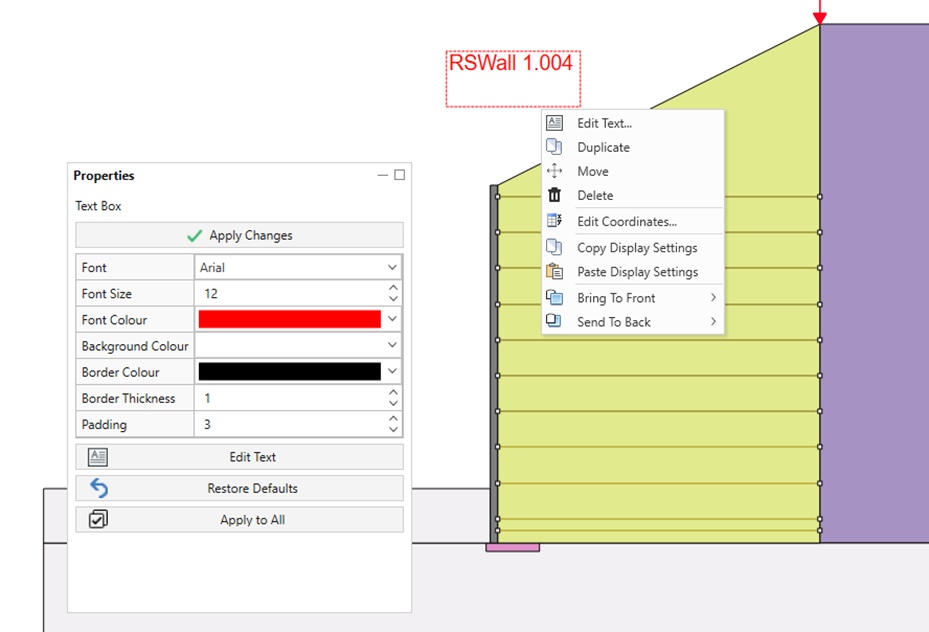
If you right-click the mouse on a Drawing Tool, you will see a popup menu with applicable options for the tool. Standard options for most tools include Duplicate, Move, Delete, Edit Coordinates, Copy/Paste Display Settings, and Bring To Front/Back.
Single Click
When you click on a Drawing Tool, the Properties pane will become active. This pane allows you to edit various drawing properties for the selected tool, such as font size, thickness, border, color, and other options depending on the tool you have added.