ShapeMetriX Import
The ShapeMetriX Import option allows users to import 3D model geometry files (.obj) from Rocscience's 3GSM software ShapeMetriX.
To import a ShapeMetriX geometry file:
- Select Geometry > Import/Export > ShapeMetriX Import

- The ShapeMetriX Import dialog will open. Click the Browse
 icon and select your .obj file.
 Click Open. The geometry file will be imported, and surface reconstruction will be performed automatically. The preview of the shrink-wrapped tunnel volume will be displayed in the dialog.
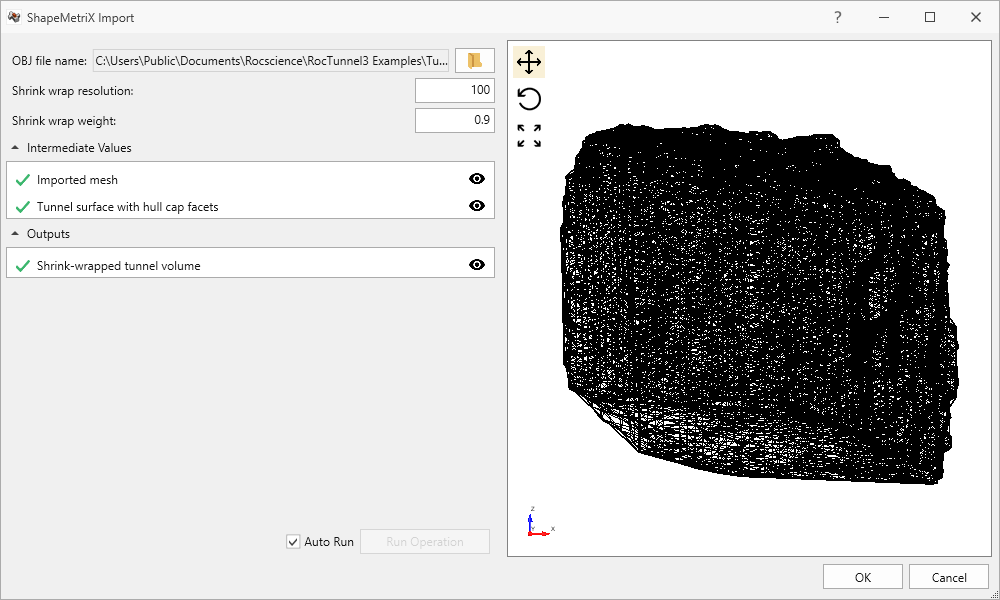
- The following parameters can be specified:
- Shrink wrap resolution: controls the density of the resulting reconstructed surface. A higher value means more triangles and a denser reconstructed tunnel surface. This value must be an integer between 5 and 500. The default value is 100.
- Shrink wrap weight: controls how tight the resulting surface wraps around the input geometry. A higher value means that it is more tightly wrapped. This value must be a decimal between 0 and 0.99. The default value is 0.9.
- Auto run shrink-wrapped tunnel volume generation: shrink-wrapped tunnel volume generation from the reconstructed tunnel surface can be turned ON and OFF by selecting or deselecting the Auto Run checkbox.
- Click OK to complete the geometry import.
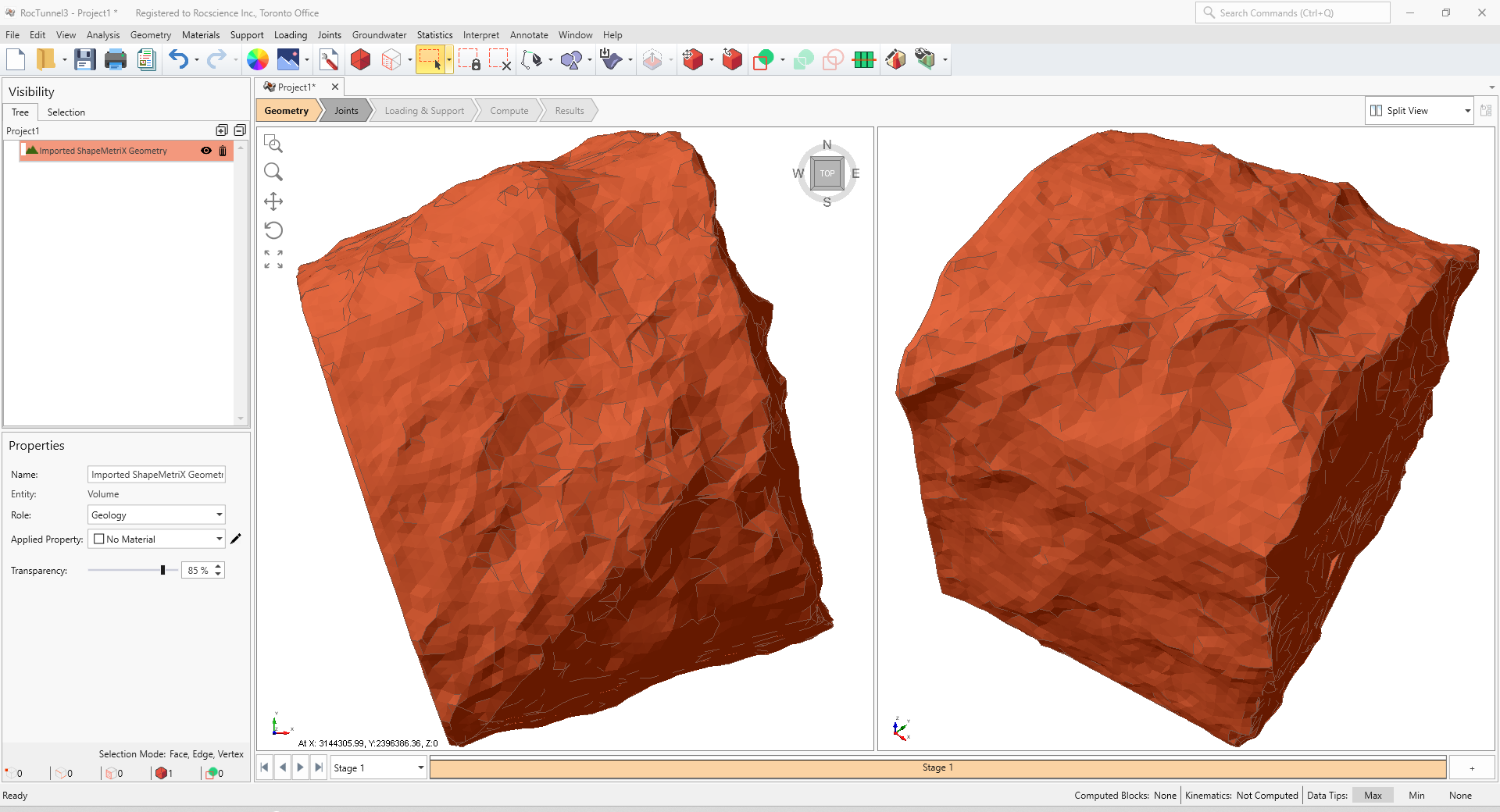
The geometry entity will be added to the Visibility Tree. Note that the entity is imported as a closed Volume.
To see an example of this import process, see Tutorial 7 – ShapeMetriX Integration.