Introducing Python Scripting in Slide2: Automate Modelling, Parametric Studies, and Analysis Workflows
- Riana McBride, Geotechnical Project Manager
- Sina Javankhoshdel, Senior Manager - LEM at Rocscience
A slope stability model rarely settles an engineering question. More often, it opens one.
How does the factor of safety change as soil strength parameters vary? What happens across different design scenarios? And how can engineers collect, compare, and make sense of the results without turning the investigation itself into an exercise in repetition?
Consider an engineer exploring how changes in cohesion and friction angle affect the stability of a slope. Ten parameter combinations mean ten sets of inputs, ten analyses, and ten sets of results to collect. Multiply that across the design scenarios, material variations, and modelling iterations of a typical project, and the calculations may be straightforward – but managing the workflow can quickly become a task of its own.
This is where automation can make a difference.
With the introduction of Python scripting in Slide2, engineers will be able to move beyond manually managing individual analyses and begin building customized workflows around their slope stability models. Through the new Slide2 Python API, users can interact with Slide2 programmatically, automate repetitive modelling tasks, conduct advanced parametric studies, and connect their analyses with Python’s broader ecosystem of computational and data science tools.
For decades, Slide2 has helped geotechnical engineers investigate complex soil and rock slopes through two-dimensional slope stability analysis. As engineering projects become more sophisticated, so do the demands placed on analysis workflows. Engineers need greater flexibility to explore multiple scenarios, process larger datasets, and bring established engineering methods together with external computational tools.
Python scripting extends Slide2 into that broader computational environment. It gives engineers greater control over how they build, run, and investigate their models – turning Slide2 from a tool for carrying out individual analyses into a platform for creating repeatable, scalable engineering workflows.
Automating Everyday Engineering Workflows
One of the most immediate benefits of Python scripting is the ability to take repetitive modelling operations and turn them into automated workflows.
In conventional slope stability modelling, engineers often need to modify material properties, update model parameters, run multiple analyses, and extract results. Across numerous design scenarios, these operations add up. Even when each individual task is relatively simple, repeating the same sequence of steps can consume considerable time.
The new Slide2 scripting functionality allows users to automate many of these processes through Python scripts.
Using the Slide2 Python API, engineers can:
- Open, save, and close Slide2 models programmatically.
- Modify model properties without repetitive manual input.
- Execute slope stability computations automatically.
- Retrieve and query analysis results.
- Import and export data using CSV files.
- Manage multiple analyses through customized scripting workflows.
Consider the earlier example of investigating the influence of soil strength parameters on slope stability. Instead of manually modifying material properties and rerunning the analysis for every combination, an engineer can write a Python script to systematically update the inputs, execute the corresponding analyses, and collect the calculated results.
Define the workflow once, and let the script handle the repetition.
This approach can significantly reduce repetitive work while improving the consistency and reproducibility of engineering analyses. It also gives engineers greater control over how individual modelling operations fit together, making it easier to develop workflows suited to the requirements of a particular project.
Expanding Parametric and Statistical Analysis Capabilities
Automating repetitive tasks is only the starting point. Once engineers can control Slide2 programmatically, they can begin developing more extensive investigations around their models.
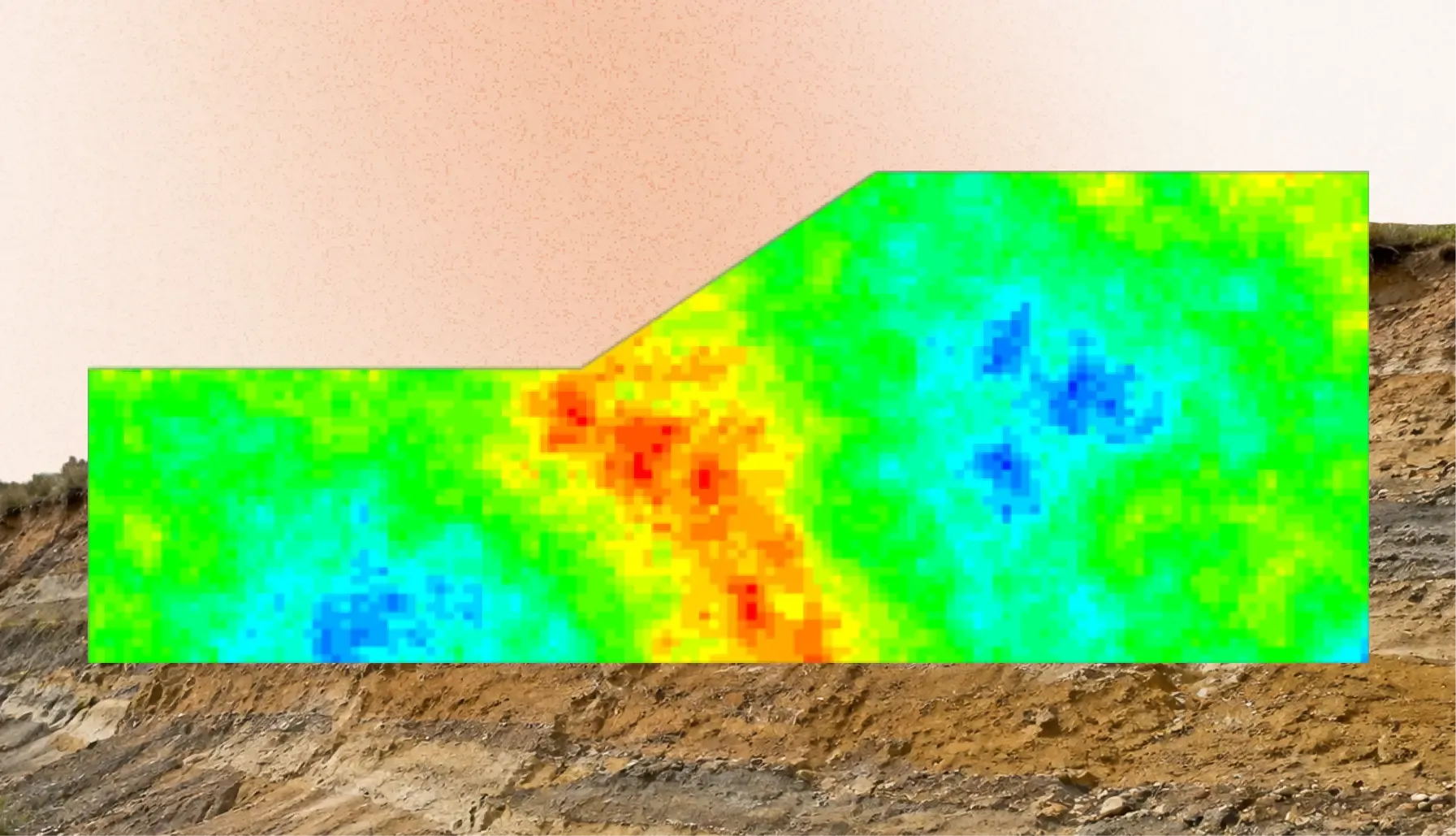
Geotechnical engineers frequently need to examine how variations in material properties, loading conditions, and other modelling parameters influence slope stability. These investigations can involve numerous combinations of input parameters, each requiring its own analysis and corresponding results.
Through the Slide2 Python API, users can develop project-specific parametric studies by systematically changing model inputs and collecting the corresponding analysis results.
For instance, engineers can investigate how variations in cohesion and friction angle influence the calculated factor of safety across numerous combinations of input parameters. Rather than manually setting up and executing each scenario, they can use Python to manage the sequence and subsequently organize, process, and visualize the resulting data.
This functionality is particularly valuable for sensitivity investigations, statistical evaluations, and research applications requiring large numbers of model executions.
The possibilities extend beyond simply running more analyses. Engineers can develop customized approaches to investigating relationships between input parameters and calculated results, explore trends across multiple scenarios, and structure their investigations around specific project requirements.
By combining Slide2's established slope stability analysis capabilities with Python-based computational workflows, users gain greater flexibility in developing customized studies that extend beyond standard modelling procedures.
Connecting Slide2 with Python's Data Science and Machine Learning Ecosystem
Perhaps the most far-reaching aspect of the new scripting functionality is what it makes possible beyond Slide2 itself.
Python has become a widely used language for scientific computing, numerical analysis, data processing, and machine learning. Its extensive ecosystem of libraries gives engineers and researchers access to computational tools that can complement conventional geotechnical analysis.
The Slide2 Python API can be combined with widely used Python libraries, including:
- NumPy: For numerical computations and array-based data processing.
- Pandas: For organizing, processing, and managing large datasets.
- Matplotlib: For creating customized graphs and visualizations of analysis results.
- Scikit-learn: For developing statistical and machine learning workflows.
- TensorFlow: For exploring more advanced machine learning applications.
This compatibility creates opportunities to bring slope stability analysis into a much broader computational workflow.
For example, researchers could use Python scripts to generate datasets from multiple Slide2 analyses, then investigate relationships between input parameters and calculated factors of safety using machine learning techniques.
Engineers could take a similar approach to post-processing, developing customized workflows to compare design alternatives, visualize trends, and organize analysis results for engineering reports.
The distinction here is important: Slide2 remains responsible for the underlying slope stability computations, while Python provides the tools to process, investigate, and build upon the resulting data.
This combination brings established geotechnical engineering methods and modern computational technologies into the same workflow. Engineers can retain the analytical capabilities of Slide2 while drawing on a much wider range of tools for data processing, visualization, and advanced computational investigations.
Managing Multiple Models and Large-Scale Studies
The scripting architecture also provides flexibility when working with multiple Slide2 models and analysis sessions.
Slide2 scripting operates through a server-based connection between Python scripts and the Slide2 application. Users can start and manage these connections programmatically, including assigning different ports to separate Slide2 sessions.
This makes it possible to organize workflows involving multiple projects or models, providing additional flexibility when conducting extensive engineering investigations.
For researchers and consulting engineers working with numerous design scenarios, the ability to manage separate Slide2 sessions programmatically adds another dimension to workflow automation. It provides greater control over how multiple models and their associated analyses are organized within larger computational studies.
Getting Started with Slide2 Scripting
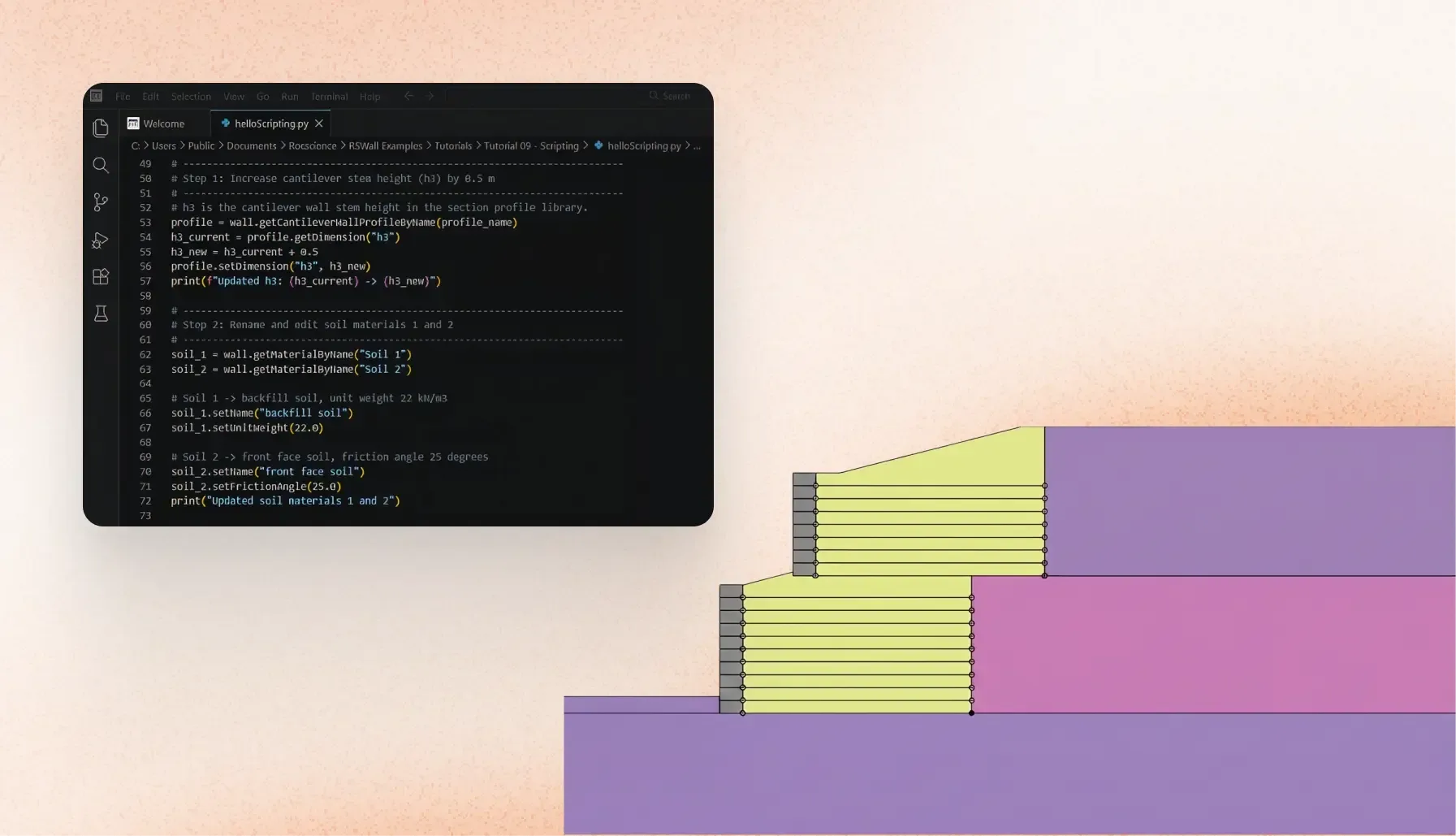
Powerful scripting capabilities are of little practical value if getting started requires engineers to build an entire programming environment from scratch. To make scripting accessible to users with different programming backgrounds, Rocscience provides RocScript Editor, a pre-configured Python environment designed to work with Rocscience software.
The Slide2 Python API Library is included with the RocScript installation package, allowing users to begin developing scripts without having to configure a Python environment from scratch. More experienced Python users can also incorporate the API into their preferred development environment.
A dedicated Scripting menu in Slide2 provides access to the main tools, including the Scripting Server Manager, RocScript Editor, Python environment management, and the Scripting Reference Manual.
The reference manual documents the available objects, methods, classes, and functions, alongside scripting examples to help users understand the API and develop their own automated workflows.
This gives engineers a practical starting point, whether they are looking to automate a handful of repetitive operations or develop more sophisticated applications. They can begin with straightforward scripts and gradually expand their capabilities as their programming experience and project requirements evolve.
A New Direction for Slope Stability Analysis
For years, the focus of slope stability analysis has been on developing increasingly capable ways to investigate the behaviour of soil and rock slopes. Python scripting introduces another dimension to that progress: the ability to shape the analytical workflow itself.
An engineer can now look beyond the individual model and consider how multiple models can be generated, how analyses can be executed systematically, how results can be processed, and how the resulting data can be connected to other computational tools.
For consulting engineers, this creates opportunities to streamline repetitive modelling tasks, improve productivity, and standardize workflows across projects.
For researchers, it opens up new possibilities for computational investigations, statistical studies, and customized analysis methodologies.
For organizations, it provides greater flexibility in developing consistent and reproducible approaches to engineering analysis.
At Rocscience, we continue to develop software that brings rigorous engineering analysis together with the flexibility to tackle increasingly complex problems. The introduction of Python scripting in Slide2 reflects that commitment, extending the capabilities engineers already rely on while giving them new ways to customize and build upon their workflows.
And this is just the beginning. As the scripting library continues to evolve, additional functions and integration opportunities will further expand what engineers can accomplish with Slide2.
The model is where the analysis begins. With Python scripting, engineers have greater freedom to determine where it goes next.
Stay tuned for the upcoming Slide2 release and discover what Python scripting can bring to your slope stability analysis workflows.
Accelerate Your Slope Stability Analysis with Python Scripting
Explore how programmatic control transforms slope stability analysis. Get started with Slide2 today and streamline your parametric investigations.
Start Your Free Slide2 Trial