Stop Guessing, Start Designing: Introducing Support Designer in Slide2
- Dr. Sina Javankhoshdel, Senior Manager - LEM at Rocscience
- Cristian Salvalaggio, Software Developer
Every geotechnical engineer knows the drill: design a slope support system, run the analysis, adjust the pattern, rerun the model, adjust again. Repeat until you hit your target factor of safety, or until the project timeline forces a decision. It's a process that's equal parts engineering judgment and educated guesswork, where the question isn't just "Will this work?" but "How much am I overdesigning to be safe?"
Slope stability design has always involved this difficult balancing act: achieving the target factor of safety while minimizing reinforcement, cost, and construction complexity. Traditionally, this has meant an iterative cycle of trial-and-error — adjusting support patterns, rerunning analyses, and refining assumptions until the desired result is achieved.
That process changes now. With the release of Support Designer in Slide2, Rocscience is fundamentally shifting how geotechnical engineers approach slope reinforcement.
Design with Confidence, Not Iteration
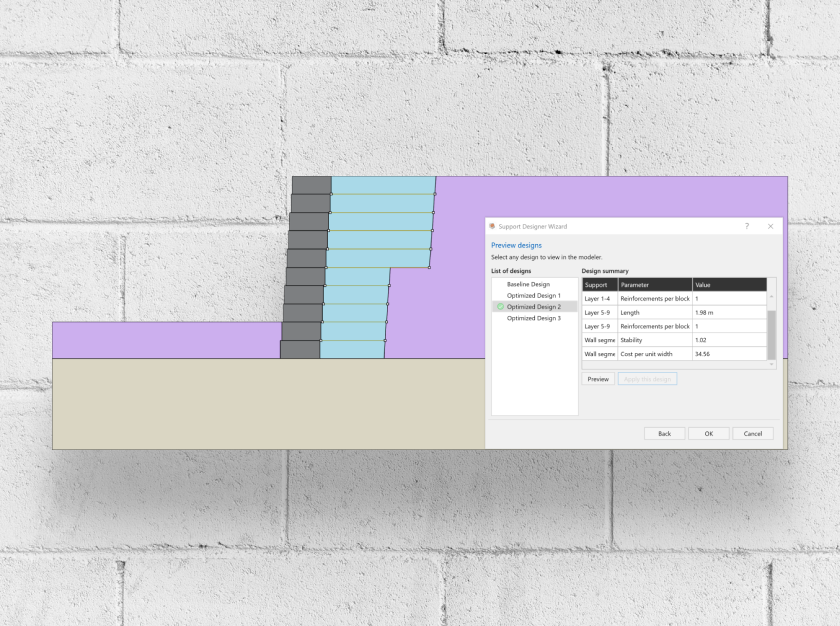
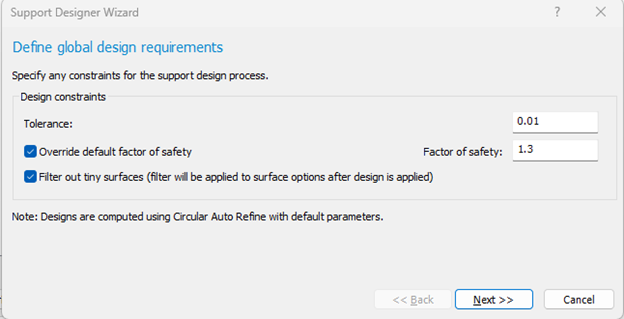
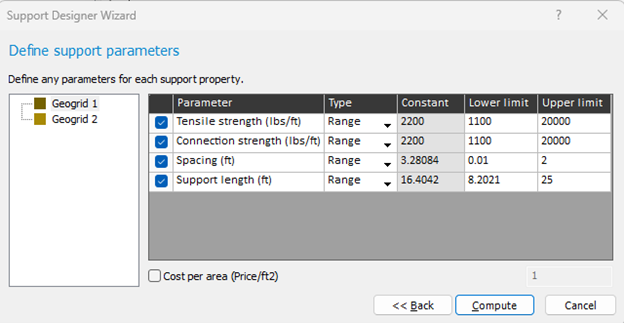
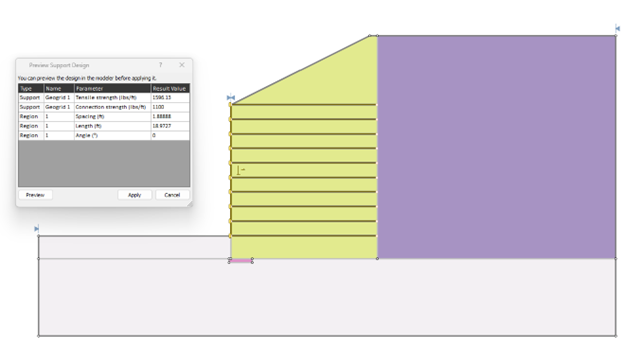
Instead of manually iterating toward a workable solution, Support Designer now enables engineers to define a target factor of safety and let the software calculate an optimized support configuration to achieve it.
This means:
- Faster design cycles with less manual iteration
- Reduced overdesign and improved project economics
- Greater confidence in support layouts
- A unified workflow for both stability assessment and support design
Instead of asking, “Will this support pattern work?”, engineers can now ask, “What support configuration achieves my design objective most efficiently?”
Built on Slide2’s Proven Analysis Engine
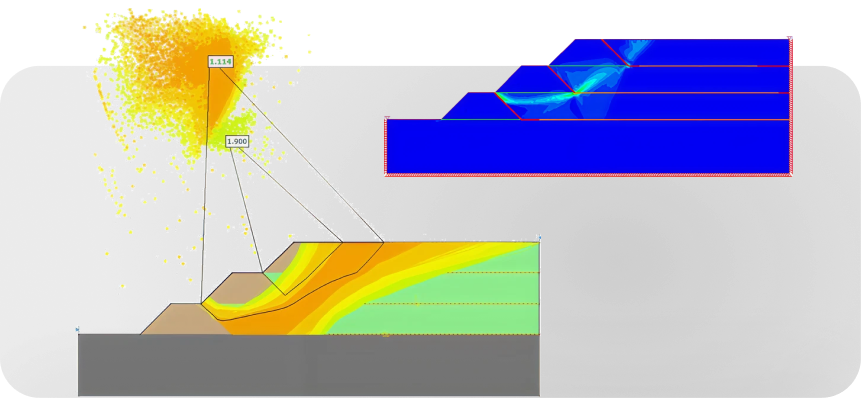
What makes Support Designer powerful is its direct integration with Slide2's computational engine. This isn't a simplified estimation tool layered on top of existing functionality; it's built directly into the software's core, using the same limit equilibrium methods and automated critical surface search that drives every standard stability analysis.
Support Designer leverages Slide2's support interaction framework to optimize placement, length, spacing, and capacity based on project-specific requirements. Because Slide2 already supports a wide range of reinforcement systems – from soil nails and rock bolts to tiebacks and geosynthetics – this makes it one of the most flexible slope stability platforms available for design optimization.
From Stability Assessment to Design
With Support Designer, Slide2 closes the loop between analysis and design. For the first time, a single Slide2 run can tell you not just whether your slope fails, but what support configuration will fix it.
For consultants, this means faster turnaround on design alternatives. For contractors, it means better constructability planning. For owners, it means more cost-effective and reliable support systems.
A New Standard for Slope Reinforcement Design
Support design shouldn't be a process of educated guessing. It should be systematic, performance-driven, and grounded in the same rigorous analysis engineers already trust.
Rocscience has always believed that better tools lead to better decisions, and better decisions lead to safer, more efficient infrastructure. With Support Designer, Rocscience is closing the gap between what engineers know and what they can prove: every reinforcement decision backed by calculation, not conjecture, and every support pattern performance-driven from the first run.
The days of manual iteration are over. The era of optimization-driven design has arrived.