Remove Invalid Bolts
The Remove Invalid Bolts feature, found in the Support menu, is a simple tool designed to remove all Invalid bolts that will not be used in the analysis. This feature is only compatible with bolts imported from a CSV file and does not apply to bolts created using conventional bolt application methods.
To remove invalid bolts imported from a CSV:
- After importing bolts with Import Bolts from CSV
 , select the bolts entity in the model view or Visibility Tree.
 - Select Support > Remove Invalid Bolts
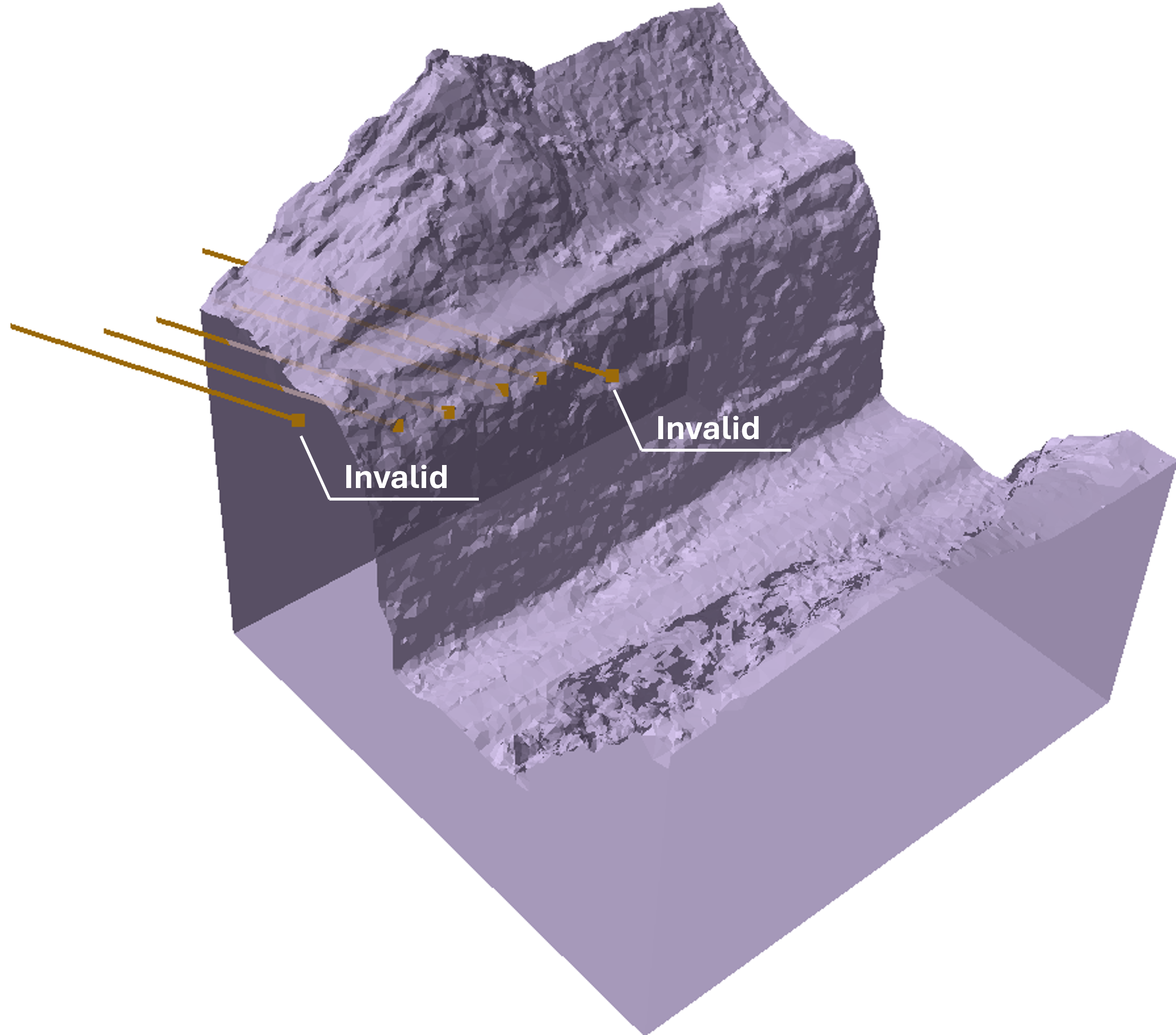
 . The Remove Invalid Bolts dialog appears and invalid bolts become highlighted in the viewport.
 - Click Yes to remove all highlighted invalid bolts from analysis.
Invalid bolts are identified based on their placement relative to the model’s external volume. Bolts that do not meet the validity criteria are excluded from the analysis but remain in the database (their geometry nodes are not physically deleted).
Bolt Validity Criteria
Slide3 considers an imported bolt valid if it meets any of the following conditions:
- The bolt head is at the surface of the external volume (consistent with RS3’s existing bolt generation method).
- The bolt head is inside the external volume (not necessarily at the surface).
- The bolt head is outside the external volume, but the other end of the bolt is inside the external volume.
Bolts that do not satisfy any of these conditions—where both the bolt head and the other end are outside the external volume or positioned entirely in open space—are deemed invalid and should be disregarded in analysis.