Slope Wizard
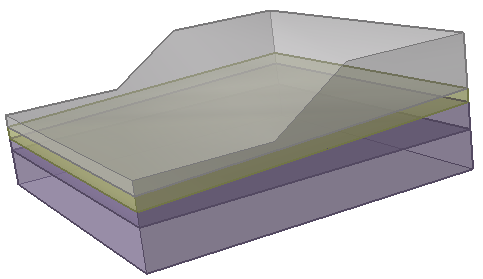
The Slope Wizard option allows you to very quickly create an extruded 3D slope model with a few mouse clicks. You can easily change the slope angle and add different material layers all within a single dialog, and generate a ready-to-compute 3D model. The Slope Wizard option is useful for demonstration and teaching purposes.
- Select the Geometry
 workflow tab.
 - Select Slope Wizard from the toolbar or the Geometry menu.
- You will see the Slope Wizard dialog, which has two input tabs:
- Geometry
- Materials
Models generated by the Slope Wizard option are fully defined 3D slope models, with External Volume assigned. They can be created in a minute or two and are ready to compute. The Slope Wizard option is useful for demonstration and teaching purposes and is not intended to replace the full 3D modelling capabilities of Slide3.
Edit Slope Wizard Model
After a model has been created with the Slope Wizard, editing capabilities are limited. You cannot directly edit the geometry created by the Slope Wizard, however, you can add entities to the model such as additional material surfaces, loading and support.
For an example of this option see Tutorial 02 - Slope Wizard.