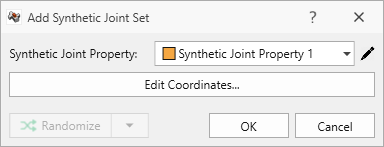
Add Synthetic Joint Set
Once Synthetic Joint Properties are defined to characterize the Orientation, Radius, and Spacing distributions in the joint set, we can add a Synthetic Joint Set by defining a traversal (i.e., polyline) and sampling across it.
Synthetic joints may be added only after a excavation geometry has been Set as External.
To add a Synthetic Joint Set:
- Navigate to the Joints workflow tab

- Select Joints > Add Synthetic Joint Set

- You will be prompted to draw a polyline to define the Traverse.
- The Draw Polyline pane provides both graphical method (i.e., Freehand), and Coordinate Input method to define some arbitrary polyline consisting of any number of line segments.
See the Draw Polyline topic for more information.
 to finish defining the Traverse.
See the Define Synthetic Joints topic for more information.