Export to Slide2
Overall (global) stability analyses and internal compound stability analyses constitute a major part of the design process for retaining walls.
As such, it is highly recommended for you to not only consider the failure modes analyzed in RSWall, but to also conduct global and an internal compound stability analysis for your overall slope.
RSWall provides seamless integration with Slide2 to allow for this additional analysis. With the Export to Slide2 feature, you can export your model to Slide2 for global and internal compound stability analysis. Refer to the Slide2 documentation for more details on its capabilities.
Exporting a model
After you have created a wall and defined all of its properties, you can use the Export to Slide2 feature to export one or multiple wall segments. To do so:
- Select Results > Export > Export to Slide2

- Use the dropdown to select the wall you wish to export.
- Select the segment you wish to export. If your wall has more than one segment, you can select All Segments.
- Click Open in Slide2 to launch the Slide2 program.
The sections that you select will each automatically generate a Slide2 model file with matching geometry, model properties and model settings, which you can then open in Slide2 to continue your analysis. If you select more than one segment, Slide2 will create a group for each segment.
Paste Slip Surface
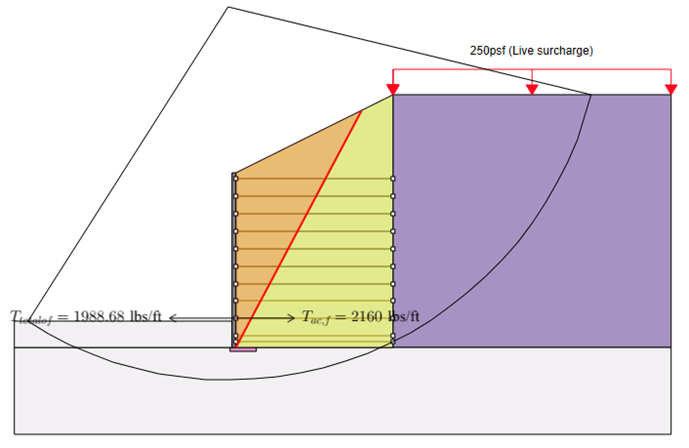
After you create and compute the Slide2 model, you are able to copy the slip surface coordinates from Slide2 and paste into the RSWall viewport for visualization. To do that:
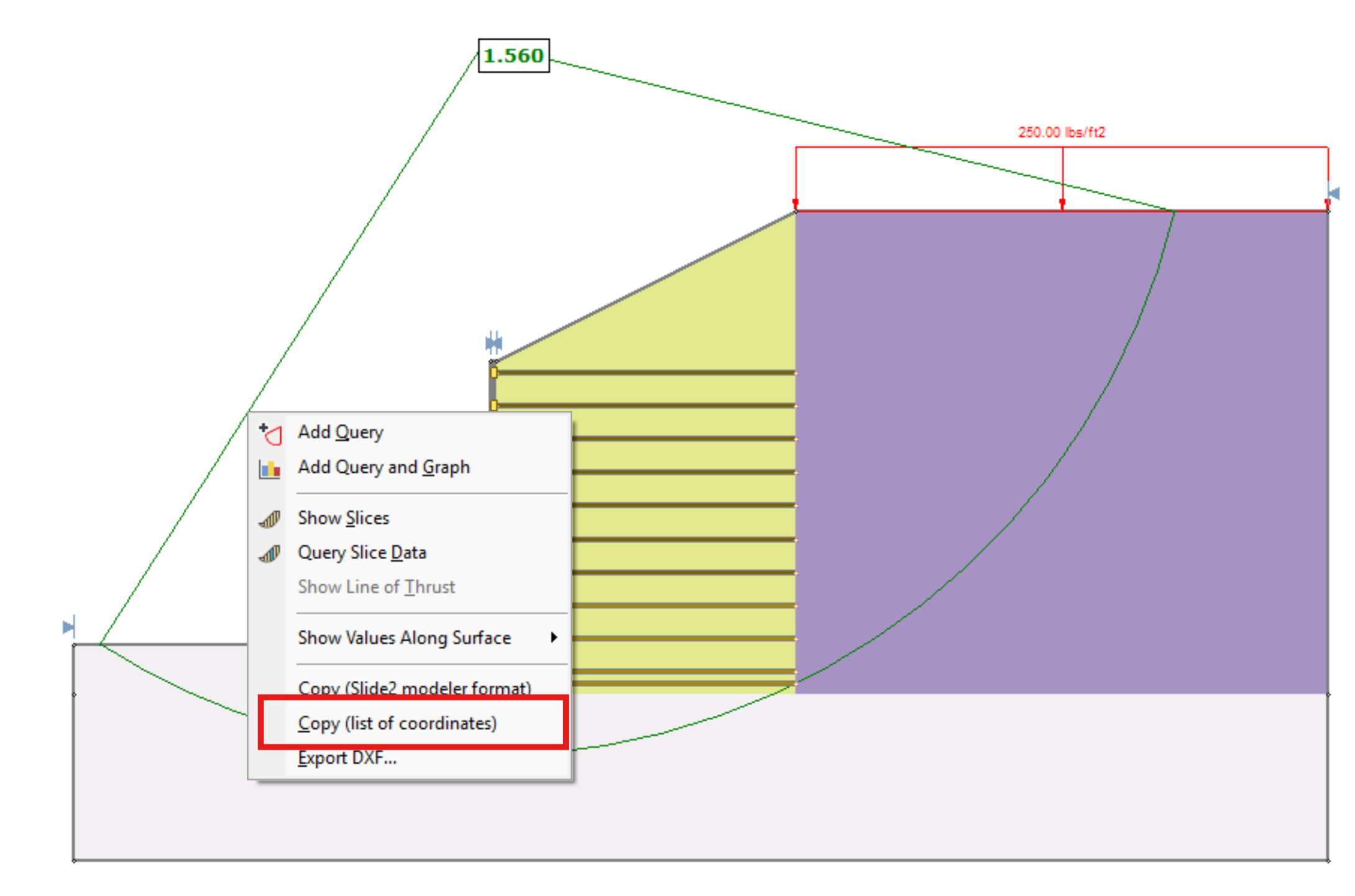
- Right-click on the surface in the Slide2 Interpreter and select Copy (List of coordinates).
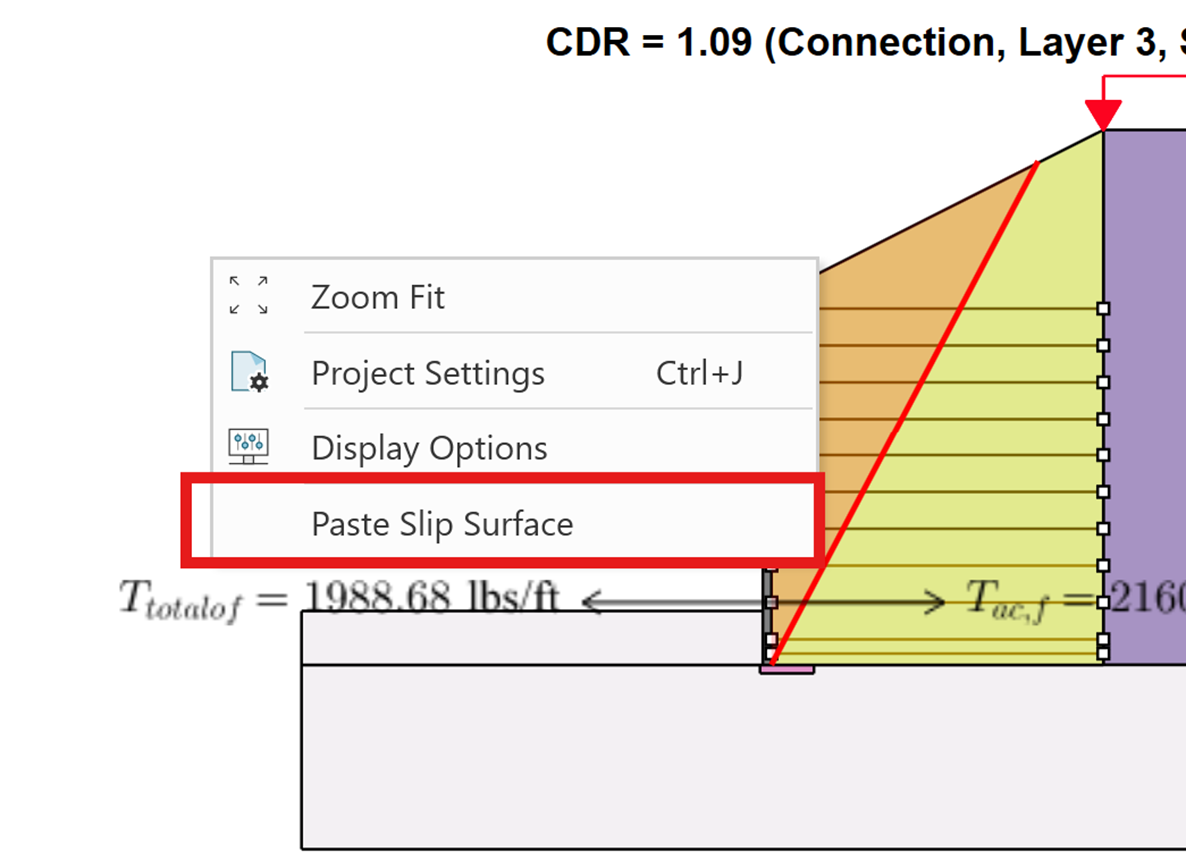
- In RSWall, right-click in viewport and select Paste Slip Surface .
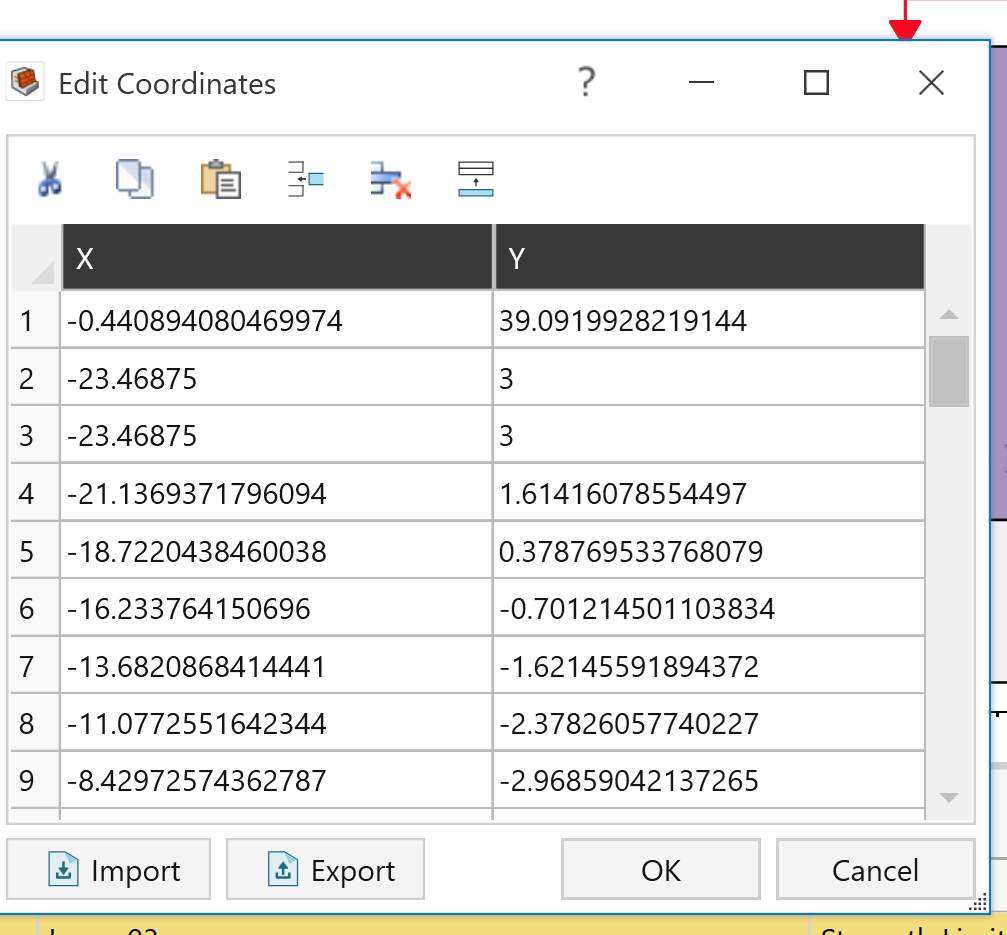
- A table of slip surface coordinates will appear. Click OK. You will then have the slip surface in RSWall.