Import Seismic Data
After computing your model, you can import seismic data and overlay it on your model.
To Import the Seismic Data:
- Select Interpret > Import Seismic Data
- Select the data points file. EX3 accepts several file types including .csv, .pts and .dat files.
- The Parse Data File dialog will appear.
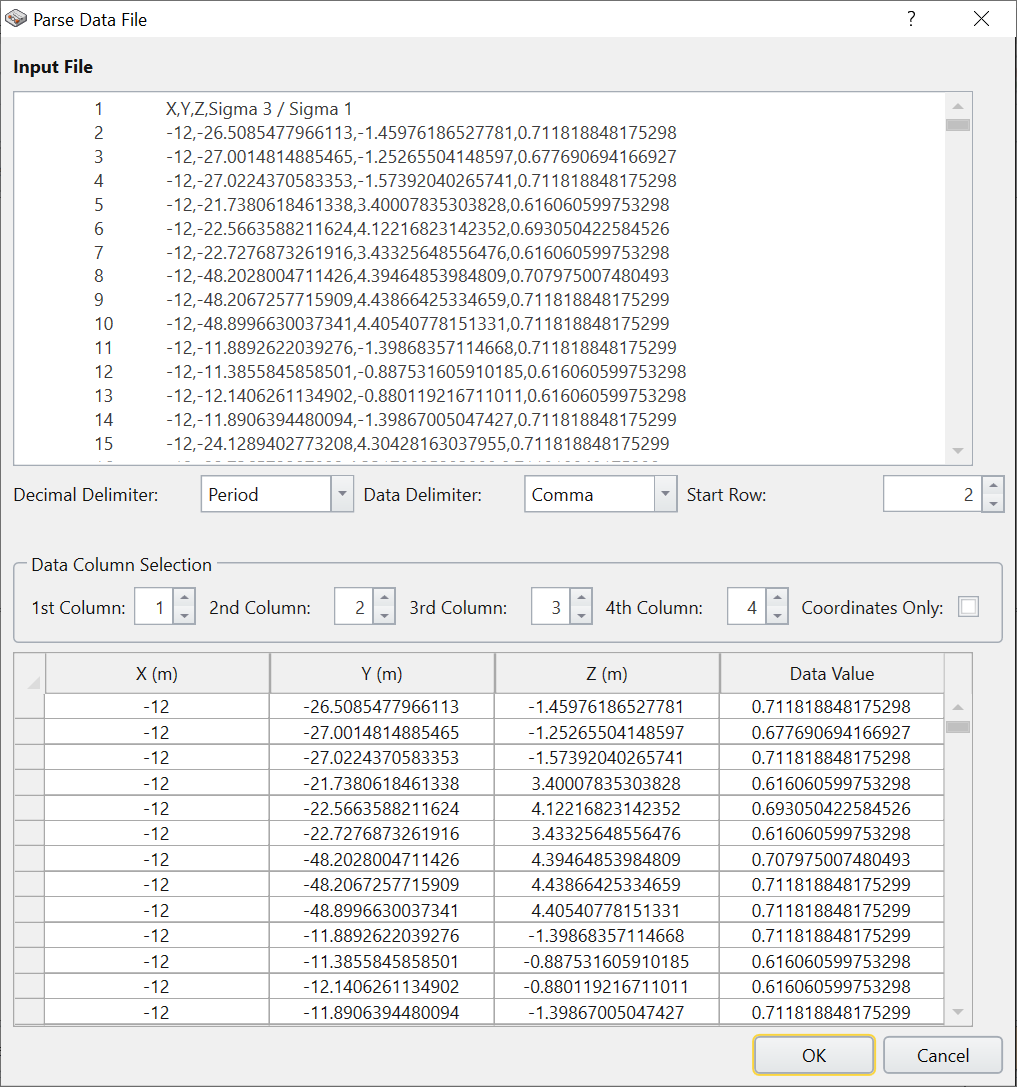
Parse data dialog - Use this dialog to adjust and organize your columns as necessary.
- Click Ok.
- The Edit Cluster dialog will appear.
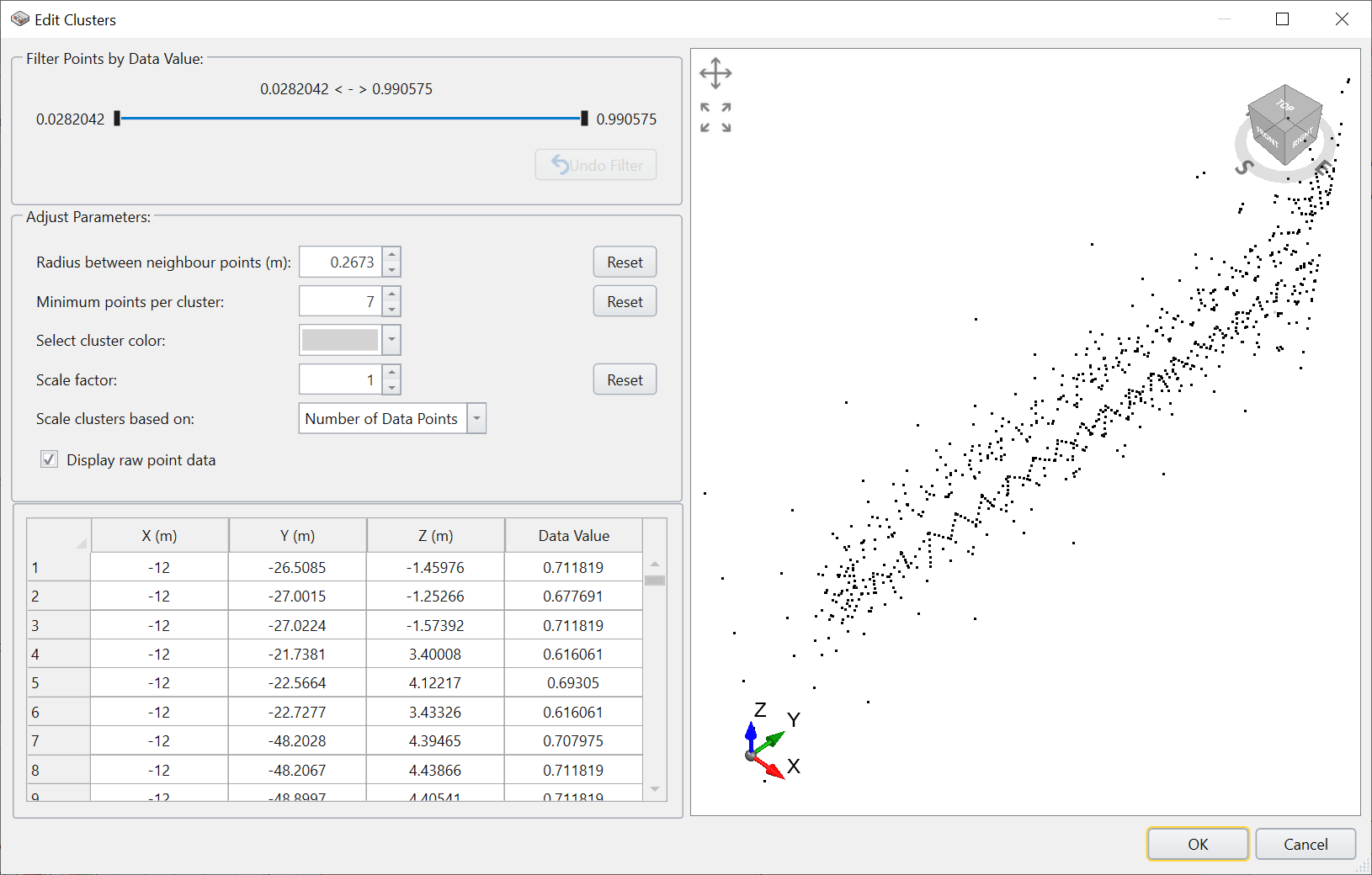
Edit Clusters dialog You can use this dialog to filter your data points. Use the Filter Points by Data Value option to set a specific range of values to include, or you can use the Adjust Parameters options to adjust other values such as the Radius between neighbour points (m) or the scale factor.
- Once you have made your adjustments, click OK and the data will be imported.